ASCII Converter
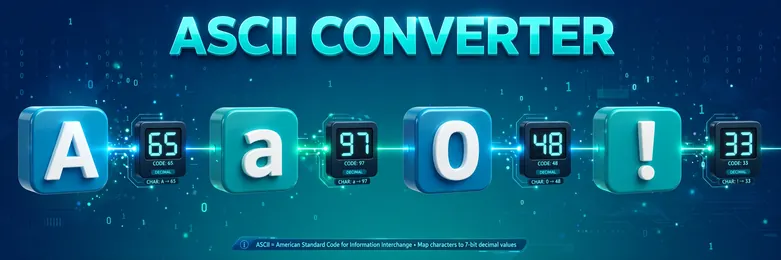
See the ASCII code behind every character you type, in decimal, hex, binary, and octal, or turn a list of codes back into text. Free, no sign-up, and everything runs in your browser.

Formulas verified against standard references. Calculator logic tested with verified worked examples. Published: November 3, 2026 | Last updated: November 3, 2026. Our methodology
What the ASCII Converter Does
Every character you type is stored as a number. The ASCII converter shows you that number for each character in your text, in decimal, hexadecimal, binary, and octal. It also works in reverse, turning a list of codes back into readable text.
Type a word or a whole paragraph. Line breaks convert too, each as its own code. Everything runs in your browser, so nothing you type is sent or saved anywhere.
How the Character Code Table Works
ASCII, short for American Standard Code for Information Interchange, assigns one number to each character. Standard ASCII covers codes 0 to 127, the English letters, digits, punctuation, and control characters. Extended ASCII continues from 128 to 255 and adds accented letters and extra symbols.
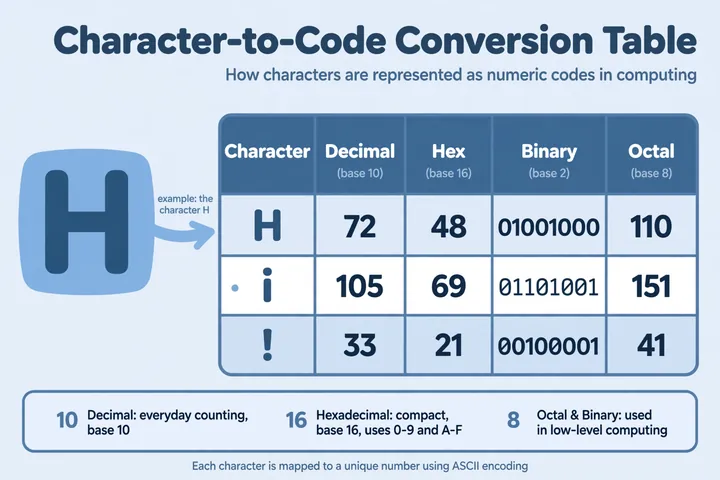
The results table shows five columns. Character is the letter, digit, or symbol you typed. Decimal is its code in base 10, the everyday counting system. Hex is the same code in base 16, written with two digits. Binary is the code in base 2, written with eight digits. Octal is the code in base 8, written with three digits.
| Character | Decimal | Hex | Binary | Octal |
|---|---|---|---|---|
| A | 65 | 41 | 01000001 | 101 |
| a | 97 | 61 | 01100001 | 141 |
| 0 | 48 | 30 | 00110000 | 60 |
All four columns describe the same code, so 65, 41, 01000001, and 101 are four ways of writing one value. If you work with these bases often, the binary converter and the hex converter convert numbers between bases directly.
Worked Example: Converting "Hi" to ASCII Codes
Take the word "Hi" and convert it in Text to ASCII mode. The converter reads "H" and looks up its code, which is 72. In hex, 72 equals 4 times 16 plus 8, so it is 48. In binary, 72 equals 64 plus 8, so it is 01001000. In octal, 72 equals 1 times 64 plus 1 times 8, so it is 110.
The second character, "i", has the code 105. In hex that is 69, because 6 times 16 plus 9 equals 105. In binary it is 01101001, from 64 plus 32 plus 8 plus 1. In octal it is 151, from 1 times 64 plus 5 times 8 plus 1.
The final answer is 72 105 in decimal, 48 69 in hex, 01001000 01101001 in binary, and 110 151 in octal. Paste 72 105 into ASCII to Text mode and you get "Hi" again, which confirms the round trip.
How to Use the ASCII Converter
- Choose Text to ASCII to encode characters, or ASCII to Text to decode numbers.
- Enter your input. Type or paste text in the first mode, or type decimal codes from 0 to 255 separated by spaces or commas in the second.
- Press Calculate, or press Enter. The converter validates your input and shows a plain message if a code is out of range or not a number.
- Read the result. The first mode shows the decimal codes plus the full per-character table. The second mode shows the decoded text with the steps used.
Standard ASCII, Extended ASCII, and Control Characters
The first 128 codes are the original standard, published in the 1960s and kept stable ever since. Codes 0 to 31 and 127 are control characters, invisible instructions left over from teletype machines. Code 32 is the space, the first printable character, and codes 33 to 126 hold the letters, digits, and punctuation most people type every day.
Codes 128 to 255 are extended ASCII. This converter maps them the Latin-1 way, so 233 becomes é. Characters beyond 255, like emoji, are not ASCII at all. The converter still shows their Unicode code point and flags them as outside the ASCII range.
Control characters appear in the table by their standard abbreviations. A line break shows as LF, code 10, so multi-line text converts cleanly, one row per line break.
Common Mistakes When Reading ASCII Codes
The most common mix-up is reading a digit as its face value. The character "5" has the code 53, not 5, because the digits live at codes 48 to 57. Code 5 itself is an invisible control character.
Another trap is decoding in the wrong base. The number 41 means "A" in hex but ")" in decimal, so check which base your codes were written in. This converter decodes decimal only, which removes that ambiguity.
Spaces and line breaks are easy to miss. A trailing space is a real character with code 32, and each line break adds a code 10, so "Hi" and "Hi " give different results. When a decode fails, look for stray commas, letters, or codes above 255 first.
When Each Number Base Comes in Handy
Decimal is the easiest base to read, which is why the main result and the decoder both use it.
Hex is the compact choice. Two hex digits fit one byte, so hex shows up in memory dumps, color codes like #FF5733, and low-level debugging. The hex converter moves between hex and decimal whenever you need it.
Binary shows the actual bits, eight per character, which helps when you are learning how text is stored. Octal is rarer today but still appears in Unix file permissions, and the binary converter and the octal converter cover both directions.
Frequently asked questions
What is the ASCII code for the letter A?
Capital A is 65 in decimal, 41 in hexadecimal, 01000001 in binary, and 101 in octal. Lowercase a is a different character with code 97, because ASCII treats them as separate characters.
How do I convert text to ASCII codes?
Pick Text to ASCII mode, type or paste your text, and press Calculate. Each character appears in the table with its decimal, hex, binary, and octal values.
How do I convert ASCII codes back to text?
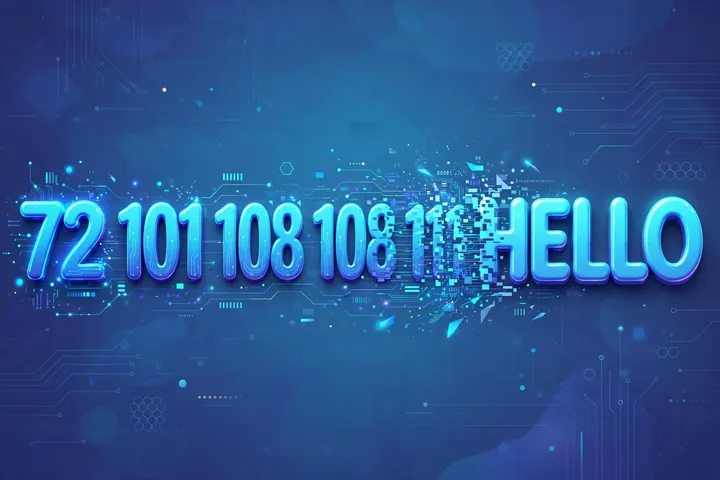
Pick ASCII to Text mode and enter decimal codes from 0 to 255 separated by spaces or commas, then press Calculate. For example, 72 101 108 108 111 decodes to Hello.
What is the ASCII code for a space?
The space character is code 32, the first printable character in the table. Codes below 32 are invisible control characters.
Why does a character show a code above 127?
Codes 128 to 255 are extended ASCII, which this converter maps the Latin-1 way, so 233 is é. Anything above 255 is not ASCII, and the converter flags it and shows its Unicode code point instead.
Related calculators

Binary Converter
Convert between binary, decimal, octal, and hex.
Use calculatorHex Converter
Convert between hex, decimal, binary, and octal.
Use calculatorOctal Converter
Convert between octal, decimal, binary, and hex.
Use calculatorNumber to Words Converter
Write any number out in English words.
Use calculatorRoman Numeral Converter
Convert between Roman numerals and numbers.
Use calculatorDecimal to Fraction Calculator
Turn decimals into simplified fractions.
Use calculatorFraction to Decimal Converter
Convert any fraction to its decimal value.
Use calculatorData Storage Converter
Convert between bytes, KB, MB, GB, and TB.
Use calculatorScientific Notation Converter
Standard form to scientific notation and back.
Use calculatorRandom Number Generator
Pick random numbers in any range, instantly.
Use calculator