Binary Converter: Convert Between Binary, Decimal, Octal and Hexadecimal
Type any number, say which base it is written in, and get all four representations at once — plus the bit length and the signed versus unsigned reading of the decimal value.
How the conversion works
Every number system is positional: a digit's value depends on its position. In base b, the digit string dndn-1…d1d0 means dn×bn + dn-1×bn-1 + … + d1×b1 + d0×b0. The only thing that changes between binary, octal, decimal and hexadecimal is b and the allowed digits.
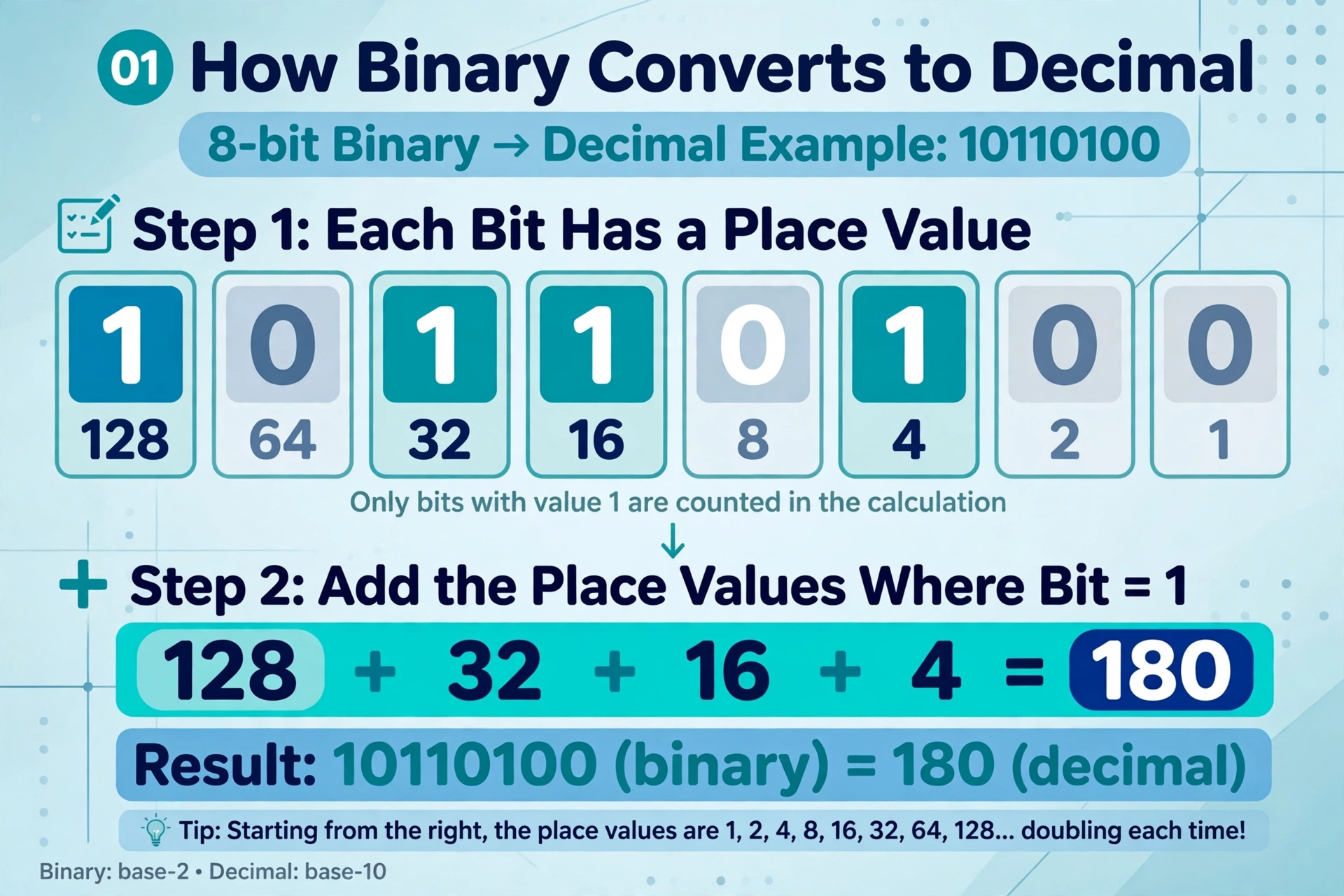
Binary to decimal
Take 10110100. Number the bits from the right, starting at 20: 1×27 + 0×26 + 1×25 + 1×24 + 0×23 + 1×22 + 0×21 + 0×20 = 128 + 32 + 16 + 4 = 180.
Decimal to binary
Divide by 2 repeatedly and read the remainders bottom-up. 180 ÷ 2 = 90 remainder 0; 90 ÷ 2 = 45 remainder 0; 45 ÷ 2 = 22 remainder 1; 22 ÷ 2 = 11 remainder 0; 11 ÷ 2 = 5 remainder 1; 5 ÷ 2 = 2 remainder 1; 2 ÷ 2 = 1 remainder 0; 1 ÷ 2 = 0 remainder 1 — reading the remainders from last to first gives 10110100.
Binary, octal and hex shortcuts
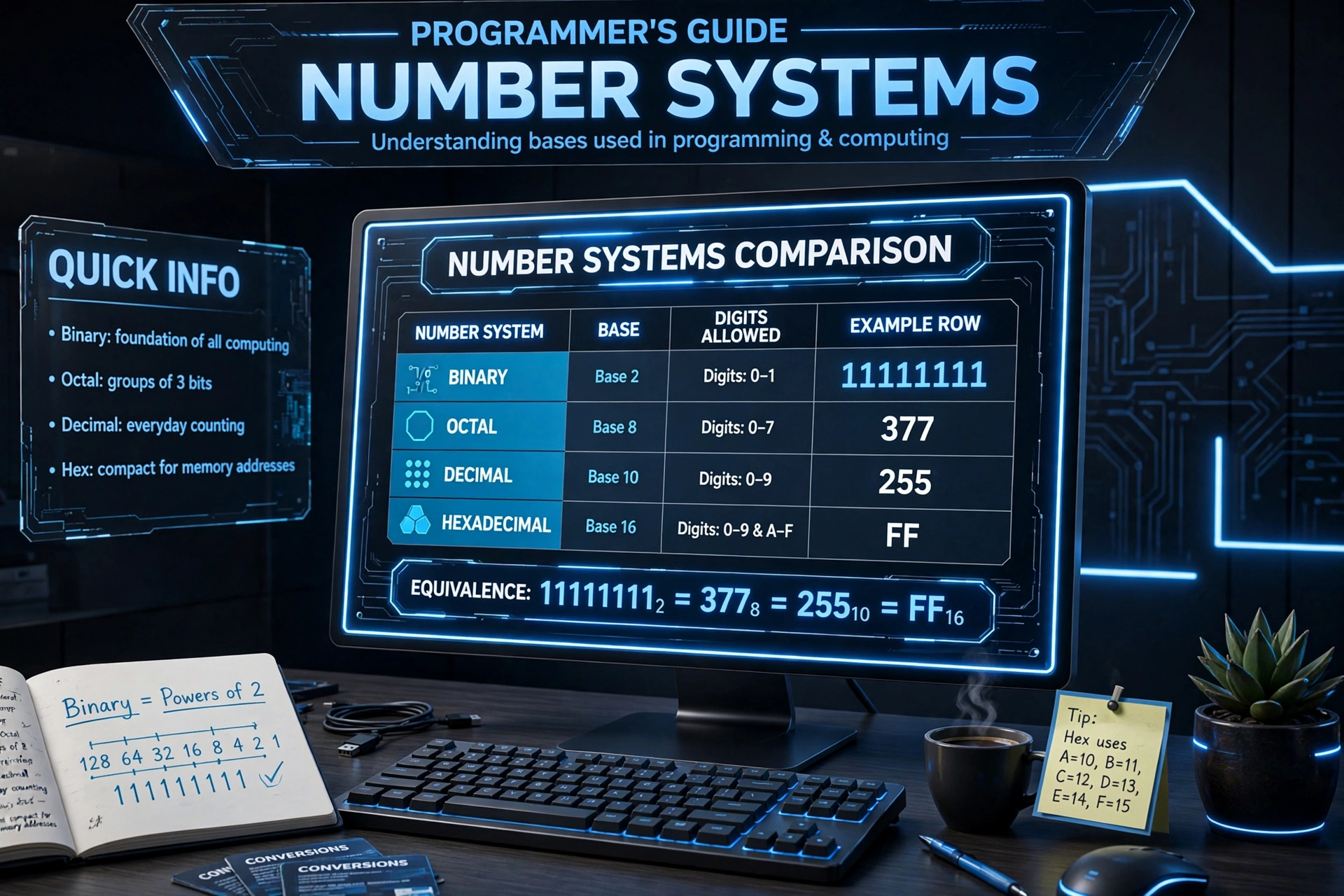
Because 8 = 23 and 16 = 24, conversions between these three are digit-by-digit: group binary digits in threes for octal and in fours for hexadecimal. 1111 1111 becomes F F in hex and 377 in octal — the same value, three skins.
Worked example
Type FF and choose hexadecimal. Each F is worth 15, so the decimal value is 15×161 + 15×160 = 240 + 15 = 255. In binary that is 1111 1111 — eight 1s, which is 128 + 64 + 32 + 16 + 8 + 4 + 2 + 1 = 255. Grouped in threes (11 111 111), the same bits read as octal 377. The binary form is 8 bits long, so the value needs 8 bits and fits in exactly one byte.
How to use the binary converter
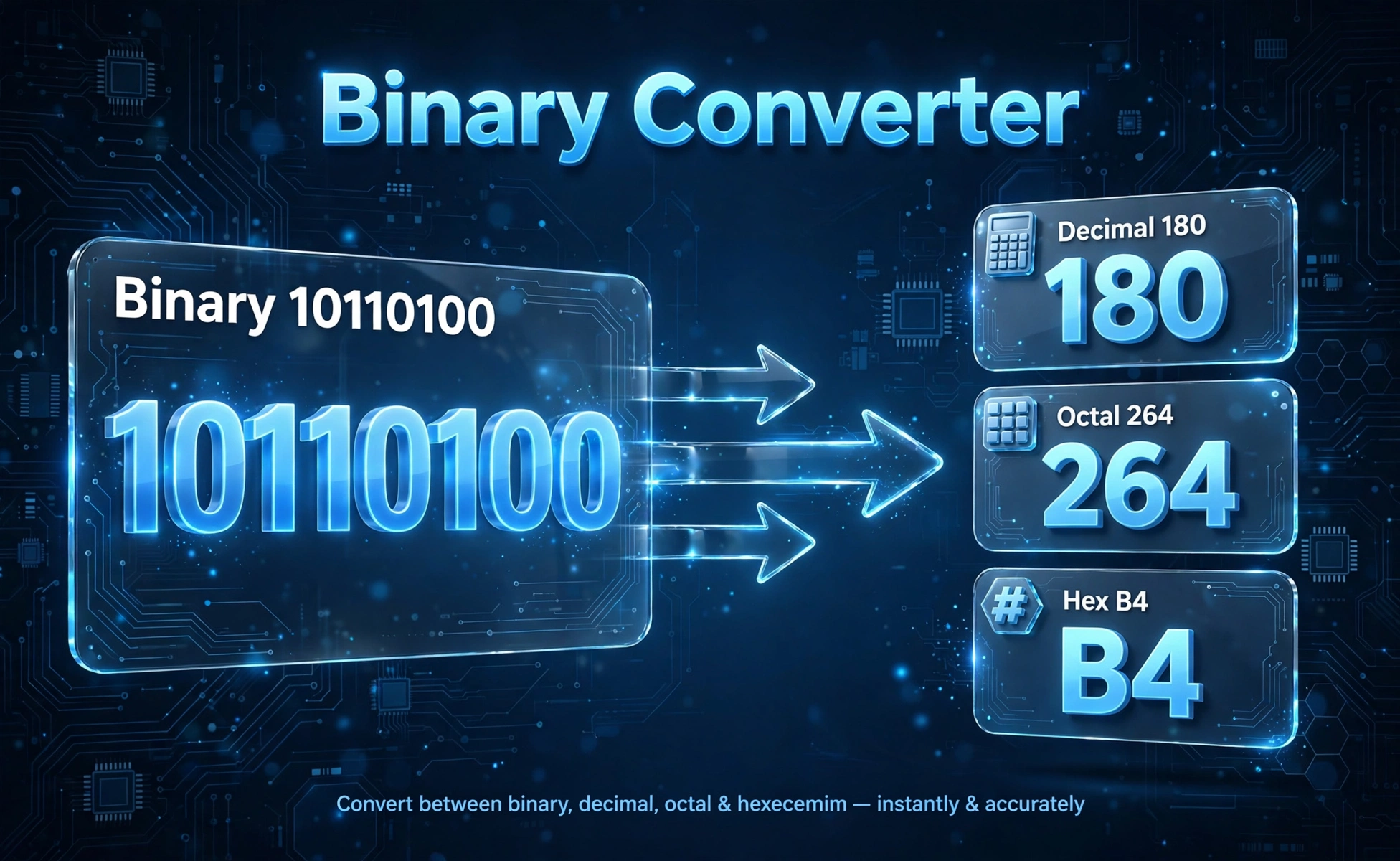
A base converter takes one number and shows it in every base at once, so you never convert twice by hand. This converter handles binary, decimal, octal and hexadecimal in a single pass.
Step by step
- Type the value — letters A–F are allowed for hexadecimal input.
- Choose the base it is written in from the "This value is in" list.
- Press Convert. The results show the value in all four bases immediately.
- Read the extra lines under the results: the minimum bit length and the signed/unsigned note for the decimal value.
What you get
- Binary — shown in groups of 4 bits for readability, e.g. 1111 1111
- Decimal — plain base-10, with thousands separators
- Octal — base 8, handy for old-school file permissions
- Hexadecimal — uppercase base 16, the compact form programmers read
- Bit length — how many bits the value needs, and the standard width it fits in
- Signed/unsigned note — how the same decimal value reads as a signed 32-bit two's complement integer
Invalid digits
Each base only accepts its own digits. If you type 102 while Binary is selected, the converter refuses and tells you exactly which digit is wrong — 2 is not a binary digit. Switch the base selector to match the value, or fix the digit, and convert again.
The four bases compared
The four bases are four ways of writing the same numbers. Binary mirrors the on/off states of a circuit, decimal is what people count in, octal survived in Unix file permissions, and hexadecimal is the compact shorthand that programmers read every day.
| Base | Name | Digits | Where you meet it |
|---|---|---|---|
| 2 | Binary | 0, 1 | Logic gates, flags, bitmasks, low-level protocols |
| 8 | Octal | 0–7 | Unix permissions like chmod 755 |
| 10 | Decimal | 0–9 | Everyday arithmetic and user-facing numbers |
| 16 | Hexadecimal | 0–9, A–F | Memory addresses, color codes like #1D4ED8, byte dumps |
Why hex is the favorite shorthand
One hexadecimal digit covers exactly 4 bits, so a byte is always two hex digits. 1111 1111 is hard to scan; FF is not. That is why error codes, memory addresses and color codes are printed in hex — it is a faithful, compressed picture of the underlying bits. For heavier math on top of these numbers, our scientific calculator evaluates trig, logarithms, powers and roots.
Bit length and signed vs unsigned
After each conversion the tool reports how many bits the value needs. The rule is simple: the bit length is the position of the highest set bit. 255 is 1111 1111, so it needs 8 bits. 256 is 1 0000 0000, so it needs 9 bits — one more bit than the number it just beat.
Rounding up to a standard width
Real hardware stores bits in fixed widths: 8, 16, 32 or 64 bits. A value that needs 9 bits cannot live in a byte, so it is stored in 16 bits. The converter shows the smallest standard width that fits your value — 8 bits (1 byte), 16 bits (2 bytes), 32 bits (4 bytes), 64 bits (8 bytes), and beyond.
Unsigned versus signed decimal
An 8-bit register holding 1111 1111 is 255 if the bits are read as unsigned, but −1 if they are read as signed two's complement, where the leftmost bit means negative. Nothing in the bits changes — only the interpretation. The converter shows the signed 32-bit reading whenever the value fits, so you can see both readings side by side. If you want to explore what bits mean for storage sizes, try the data storage converter to move between bits, bytes, kilobytes and gigabytes.
The two's complement trick
In two's complement, a 32-bit pattern's signed value equals the unsigned value minus 232 when the top bit is set. So 11111111 11111111 11111111 11111111 is 4,294,967,295 unsigned and 4,294,967,295 − 4,294,967,296 = −1 signed. This is the standard the two's complement article on Wikipedia describes, and it is how virtually all modern processors store negative integers.
Common conversions and troubleshooting
Some conversions come up constantly. The table below covers the byte boundaries — the values where the bit length jumps, which is exactly when storage sizes change.
| Binary | Decimal | Octal | Hexadecimal | Bits needed |
|---|---|---|---|---|
| 1111 | 15 | 17 | F | 4 |
| 1111 1111 | 255 | 377 | FF | 8 |
| 1 0000 0000 | 256 | 400 | 100 | 9 |
| 1111 1111 1111 1111 | 65,535 | 177777 | FFFF | 16 |
| 1 0000 0000 0000 0000 | 65,536 | 200000 | 10000 | 17 |
| 1111 1111 1111 1111 1111 1111 1111 1111 | 4,294,967,295 | 37777777777 | FFFFFFFF | 32 |
When the input is rejected
- A digit that does not belong: 2–9 in binary, 8–9 in octal, G–Z in hex. The error names the offending digit.
- Wrong base selected: make sure the selector matches the notation you typed.
- Negative values: a leading minus is accepted and converts the magnitude; the outputs are shown for the positive value with the sign preserved on decimal.
- Very large values: the converter uses arbitrary-precision integers, so numbers far beyond 253 convert exactly — output strings can simply get long.
Frequently asked questions
How do I convert binary to decimal?
Type the binary number, select Binary as the input base, and press Convert. Each 1-bit adds its place value: in 10110100 the set bits are 128, 32, 16 and 4, so the decimal value is 180. The converter shows this working for short binary inputs.
How do I convert a decimal number to hexadecimal?
Type the decimal number, select Decimal as the input base, and press Convert. The hex column shows the base-16 form: 255 becomes FF, 4096 becomes 1000, and 65535 becomes FFFF.
What does "needs 8 bits" mean in the results?
It is the minimum number of binary digits needed to write the value. 255 is 11111111, so it needs 8 bits and fits in exactly one byte. 256 is 100000000, so it needs 9 bits and must be stored in 16 bits.
Why does the converter reject my input?
Each base only accepts its own digits: binary takes 0 and 1, octal takes 0-7, decimal takes 0-9, and hex takes 0-9 plus A-F. If you typed a digit that does not belong, the error names it. Either fix the digit or choose the base that matches your input.
What is the largest number this converter can handle?
There is no fixed 32-bit or 64-bit limit. The converter uses arbitrary-precision integers, so values far beyond 2 to the power 53 convert exactly. Extremely large inputs just produce very long output strings.
What is the difference between signed and unsigned numbers?
Unsigned reads every bit as a positive place value, while signed two's complement treats the leftmost bit as negative. The bit pattern 11111111 is 255 unsigned but -1 signed. The same bits, two different readings.
Why do programmers use hexadecimal instead of binary?
Hex is a compact picture of the bits: one hex digit always represents exactly 4 bits, so a byte is two hex digits. FFFFFFFF is far easier to read than 32 ones and zeros, which is why memory addresses and color codes are written in hex.
Related calculators

Percentage Calculator
Find what P% of any number is — instant answers with the formula shown.
Use calculatorScientific Calculator
Evaluate trig, logarithm, power and root expressions with a full scientific keypad. Free and instant.
Use calculatorFraction Calculator
Add, subtract, multiply and divide fractions with this free fraction calculator. Get simplified answers, mixed...
Use calculatorAverage Calculator
Free average calculator: paste your numbers to get the mean, median, mode, range, min, max and sorted list...
Use calculatorRatio Calculator
Simplify ratios, scale them up or down, or split an amount by ratio.
Use calculatorLCM & GCD Calculator
Find the LCM and GCD of any numbers, with step-by-step working.
Use calculator