Free Online Scientific Calculator
Evaluate trig, logarithm, power and root expressions with a full scientific keypad. Free and instant.
Formula
Expressions follow the standard order of operations: parentheses first, then powers and roots, then multiplication and division, then addition and subtraction. Supported functions: sin, cos, tan and their inverses (asin, acos, atan), hyperbolic sinh/cosh/tanh, log (base 10), ln (base e), sqrt, cbrt, abs. Constants pi and e. Postfix ! is factorial (whole numbers 0-170) and % divides by 100. Angles use degrees or radians per the toggle above.
Worked example
sin(30)+2^3 in Degrees mode: sin(30°) = 0.5, 2^3 = 8, and 0.5 + 8 = 8.5.
How to use the scientific calculator
A scientific calculator handles more than basic arithmetic: trigonometry, logarithms, powers, roots and factorials. This one takes a typed expression or one built from the on-screen keypad, and returns the result with the angle mode it used.
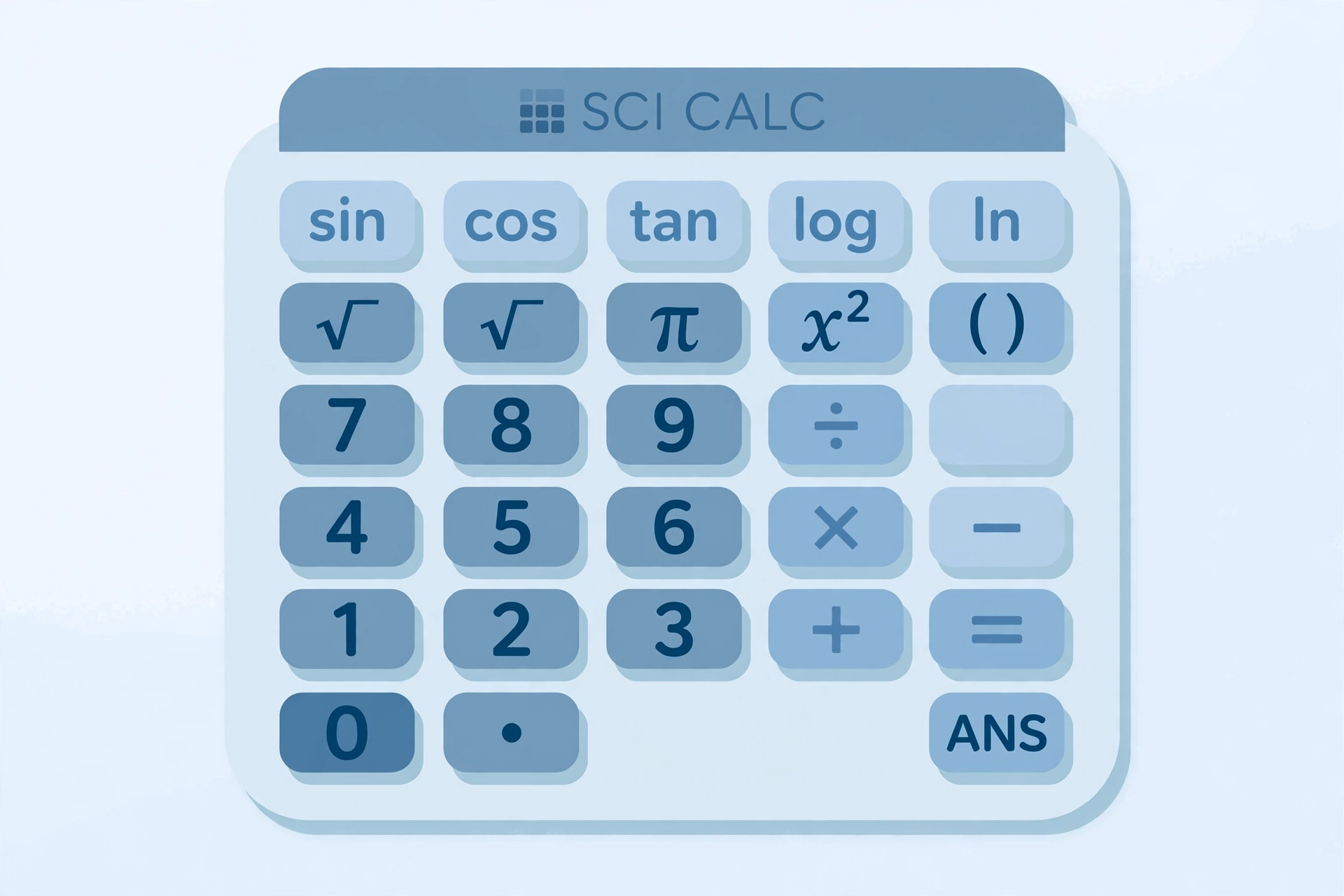
- Pick the angle unit. Degrees is the default. Switch to Radians if your problem uses π.
- Enter the expression. Type something like sin(30)+2^3, or tap the keys.
- Read the result. You get up to 10 significant digits, the angle mode used, and a breakdown showing the expression you submitted.
A worked example
Take sin(30)+2^3 in Degrees mode. First, sin(30) = 0.5. Next, 2^3 = 8. Then 0.5 + 8 = 8.5, which is the answer shown.
Typing shortcuts
Implicit multiplication works, so 2pi and 2(3+4) are valid. The constants pi and e are built in. The parser is strict, so keep parentheses balanced and avoid stray symbols.
What it does not do
It does not graph, work with matrices, or run statistics functions. There is no memory or Ans key, and it does not solve equations step by step. Results are floating-point approximations, so the last digits can differ slightly from the exact value.
If you only need body mass index, use our BMI calculator instead of building the formula here.
What each button does: function reference
Every key on this scientific calculator is listed below with what it does and an example worked out by hand. Functions marked "type" have no key and are entered by name.
| Key | What it does | Example → result |
|---|---|---|
| + − × ÷ | Basic arithmetic | 2+3*4 → 14 |
| ( ) | Groups part of an expression so it is worked out first | (2+3)*4 → 20 |
| sin, cos, tan | Sine, cosine and tangent of an angle, in the chosen mode | sin(30) → 0.5 (Degrees) |
| sin⁻¹, cos⁻¹, tan⁻¹ (asin, acos, atan) | Returns the angle for a given ratio | asin(0) → 0 |
| sinh, cosh, tanh (type) | Hyperbolic functions | cosh(0) → 1 |
| log | Base-10 logarithm | log(1000) → 3 |
| ln | Natural logarithm (base e) | ln(e) → 1 |
| √ (sqrt) | Square root | sqrt(3^2+4^2) → 5 |
| cbrt, abs (type) | Cube root; absolute value | cbrt(27) → 3; abs(2-9) → 7 |
| x² | Squares a number | 4^2 → 16 |
| xʸ | Raises a number to a power; chained powers work right to left | 2^3^2 → 512 |
| π, e | The constants pi and e | 2pi → 6.283185307 |
| % | Divides the number before it by 100 | 50% → 0.5 |
| ! | Factorial, for whole numbers 0 to 170 only | 5! → 120 |
Digits, the decimal point, backspace and clear work as you would expect.
A note on the % key
The % key only divides by 100, so 15% on its own is 0.15, and 200*15% gives 30. For percent-of, increase and decrease problems, try our percentage calculator.
Degrees vs radians: why your trig answer looks wrong
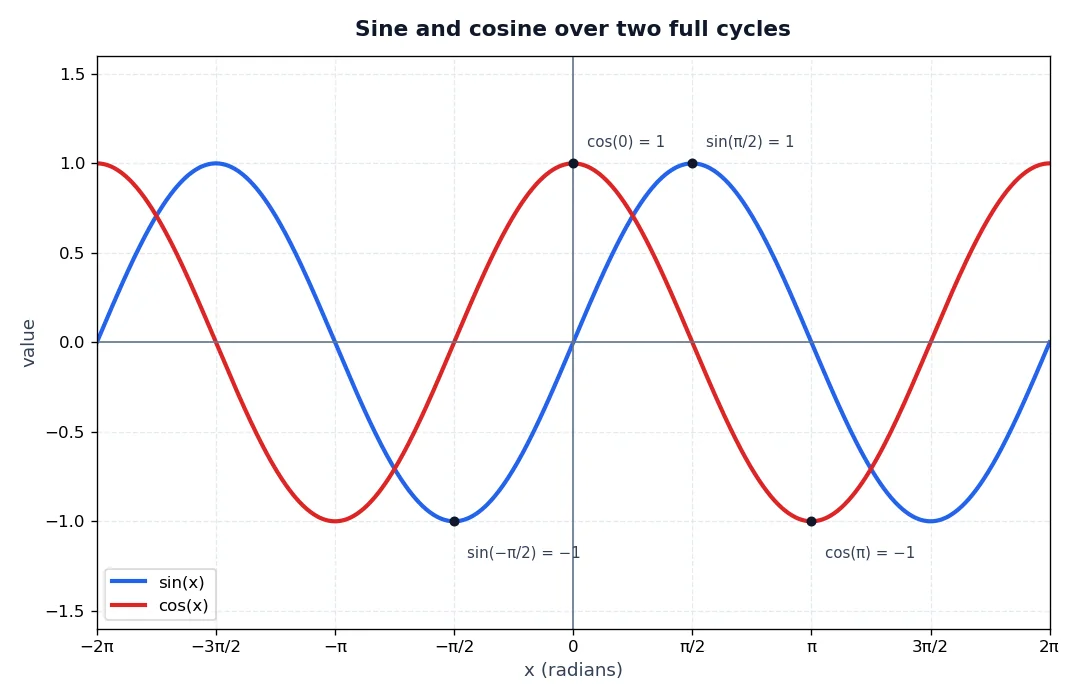
Trig functions need an angle, and an angle can be measured in degrees or radians. A full circle is 360 degrees or 2π radians, so π radians equals 180 degrees. The Degrees / Radians toggle on a scientific calculator tells it which one you mean. Here it starts on Degrees.
Same input, two answers
| Mode | Expression | Result |
|---|---|---|
| Degrees | sin(30) | 0.5 |
| Radians | sin(30) | ≈ −0.988 |
In Radians mode, 30 means 30 radians, which is about 4.8 turns around the circle. The sine lands somewhere else on the wave. Nothing is broken; the question changed.
Which mode should I use?
- Use Degrees when the problem gives angles such as 30 or 90 degrees.
- Use Radians when the angle involves π, such as sin(pi/2), which gives 1.
For a refresher on sine, cosine and tangent as side ratios, see these trigonometric function definitions (SOH-CAH-TOA).
Order of operations and fixing wrong answers
A scientific calculator follows the standard order of operations: parentheses first, then powers and roots, then multiplication and division, then addition and subtraction. Many unexpected answers trace back to this order.
Parentheses change the result
Parentheses are always worked out first, as the order of operations (PEMDAS) describes. Compare:
- (2+3)*4: 2 + 3 = 5, then 5 × 4 = 20.
- 2+3*4: 3 × 4 = 12, then 2 + 12 = 14.
A longer example
Try 2+3*4^2. The power goes first: 4^2 = 16. Then multiplication: 3 × 16 = 48. Last, addition: 2 + 48 = 50.
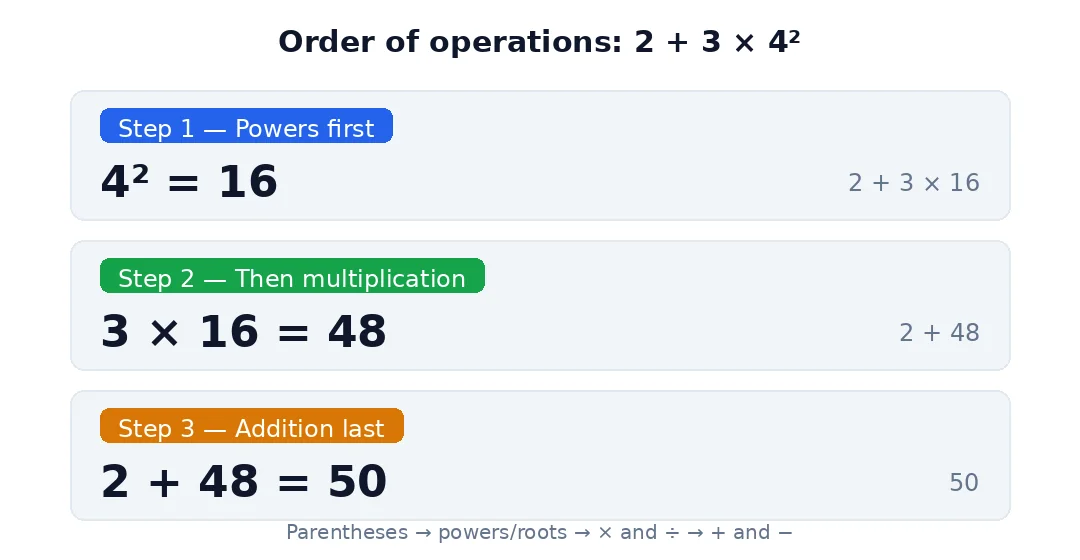
Powers work right to left, so 2^3^2 is 2^(3^2) = 2^9 = 512, not (2^3)^2 = 64.
Fixing a wrong answer
If your scientific calculator gives an answer that looks off, check these in order:
- Angle mode. A trig answer is wrong when the toggle does not match the problem.
- Missing parentheses. sin(30+2) and sin(30)+2 are different expressions.
- Factorial range. The ! key accepts whole numbers from 0 to 170 only.
- Percent. The % key divides by 100, so 50% is 0.5.
- Rounding. Results are floating-point approximations shown to up to 10 significant digits, so the last digit can differ from the exact value.
Frequently asked questions
How do you calculate sin, cos and tan on a scientific calculator?
Set the angle unit first, then enter the function with the angle in brackets, such as sin(30). In Degrees mode the result is 0.5. Tap the sin, cos or tan keys or type the names directly. To go the other way, from a ratio to an angle, use sin⁻¹, cos⁻¹ or tan⁻¹.
What is the difference between log and ln?
log is the base-10 logarithm and ln is the natural logarithm, base e. They answer different questions: log(1000) = 3 because 10³ = 1000, while ln(e) = 1 because e¹ = e. Use log for powers of ten and ln when e, about 2.718, is involved, such as in growth and decay formulas.
How do I switch between degrees and radians?
Use the Degrees / Radians toggle. Degrees is the default. Pick Radians when your angle is written in terms of π, and Degrees when it has a degree sign. The result shows the angle mode used, so you can confirm it. sin(30) is 0.5 in Degrees but about −0.988 in Radians.
How do I do a factorial?
Type a whole number followed by !, for example 5! = 120, because 5 × 4 × 3 × 2 × 1 = 120. This calculator accepts whole numbers from 0 to 170 only, so decimals, negatives and anything above 170 are not supported. Tap the ! key after the number, or type it.
Why does my calculator give a wrong sin answer?
The usual cause is the wrong angle unit. sin(30) is 0.5 in Degrees mode but about −0.988 in Radians mode, because 30 is read as 30 radians. Check the toggle matches your problem, then re-enter the expression. If the mode is right, check your parentheses, for example sin(30+2) versus sin(30)+2.