Average Calculator: Mean, Median, Mode and Range
Paste any list of numbers and get the count, sum, mean, median, mode, range, minimum, maximum and the sorted list — with every step shown.
How to use the average calculator
Type or paste your numbers into the box. Commas, spaces and line breaks all work as separators, and the order does not matter — the calculator sorts the values itself. Press Calculate to see the count, sum, mean, median, mode, range, minimum, maximum and the sorted list.
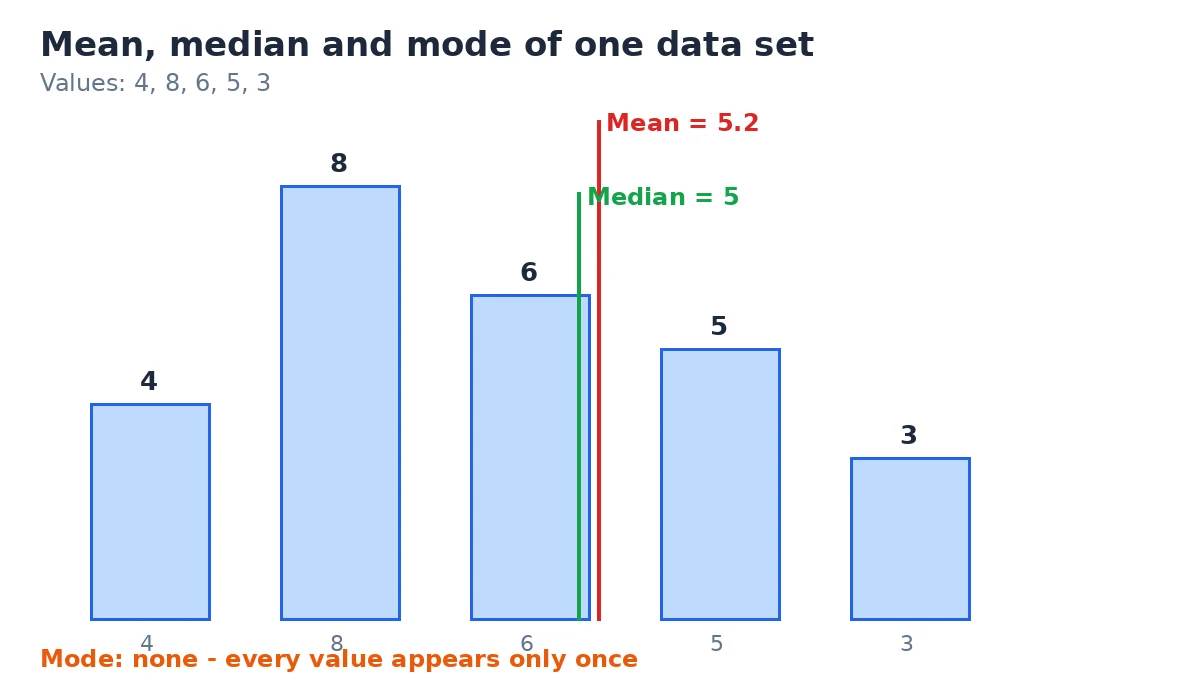
Step by step
- Enter your numbers in the box above — a few values or a long pasted list.
- Separate them with commas, spaces or line breaks, for example: 4, 8, 6, 5, 3.
- Press Calculate. Anything that is not a number is ignored.
- Read the results card for the mean, median, mode, range and the rest.
What you get
- Count — how many valid numbers were found
- Sum — the total of all values
- Mean — the arithmetic average, to 4 decimal places
- Median — the middle value of the sorted list
- Mode — the most frequent value, or a note when there is none
- Range — maximum minus minimum
- Minimum and maximum
- Sorted list — your values in ascending order
Mean vs median vs mode: which average should you use?
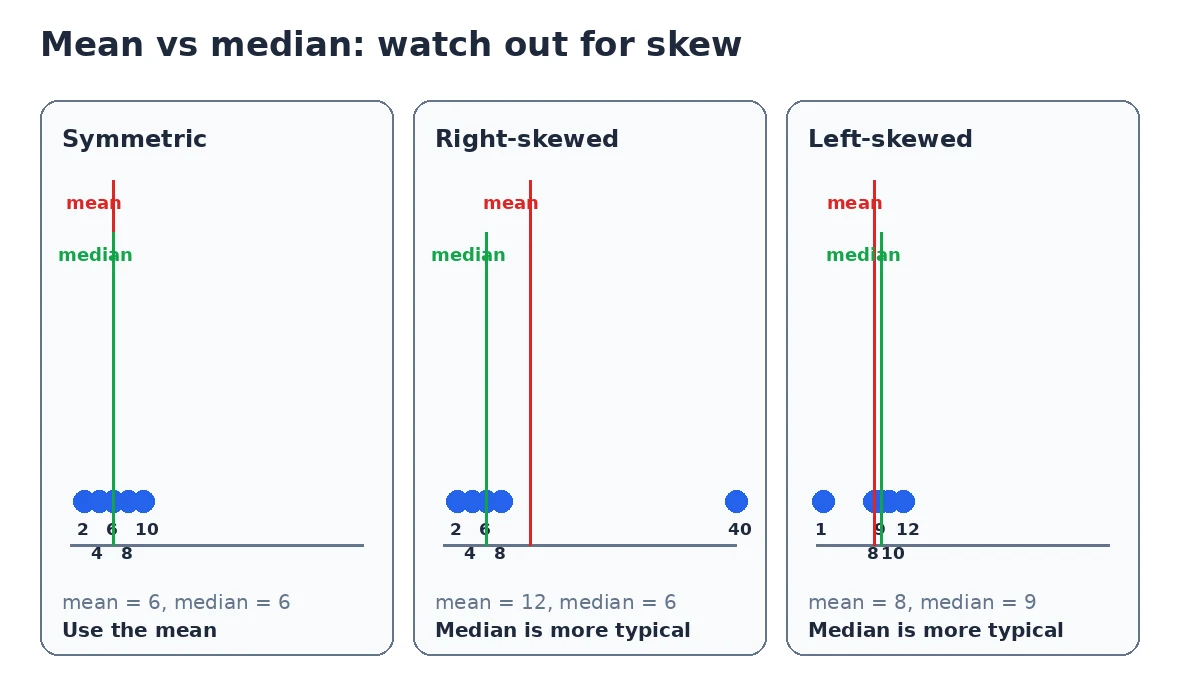
Average is a loose word for a typical value, but statistics gives it three precise meanings — and they disagree whenever the data is skewed. Take the set 1, 2, 4, 8, 16: the mean is 6.2, but the median is 4. The single large value drags the mean upward while the median barely moves.
| Measure | What it is | Worked mini-example | Use it when |
|---|---|---|---|
| Mean | Sum of the values divided by their count | 2, 4, 6, 8, 10 → 30 ÷ 5 = 6 | Data is roughly symmetric with no extreme outliers |
| Median | The middle value of the sorted list | 2, 4, 6, 8, 40 → the middle value is 6 | Data is skewed or contains outliers |
| Mode | The most frequently occurring value | 3, 5, 5, 7, 9 → 5 | You need the most common value or category |
The arithmetic mean is formally the sum of the observations divided by their count — see the definition of the arithmetic mean on Wikipedia for the full mathematical treatment, including why it is sensitive to extreme values.
Averages and percentages often appear together in reports and grades. If you also need to find what P% of a number is, or express one value as a share of another, our percentage calculator covers the percentage side of the question.
A quick rule of thumb
If the mean and median come out close, the mean is a fine summary. If they differ a lot, an outlier is dragging the mean — report the median as the typical value and mention both numbers so readers see the full picture.
Worked example
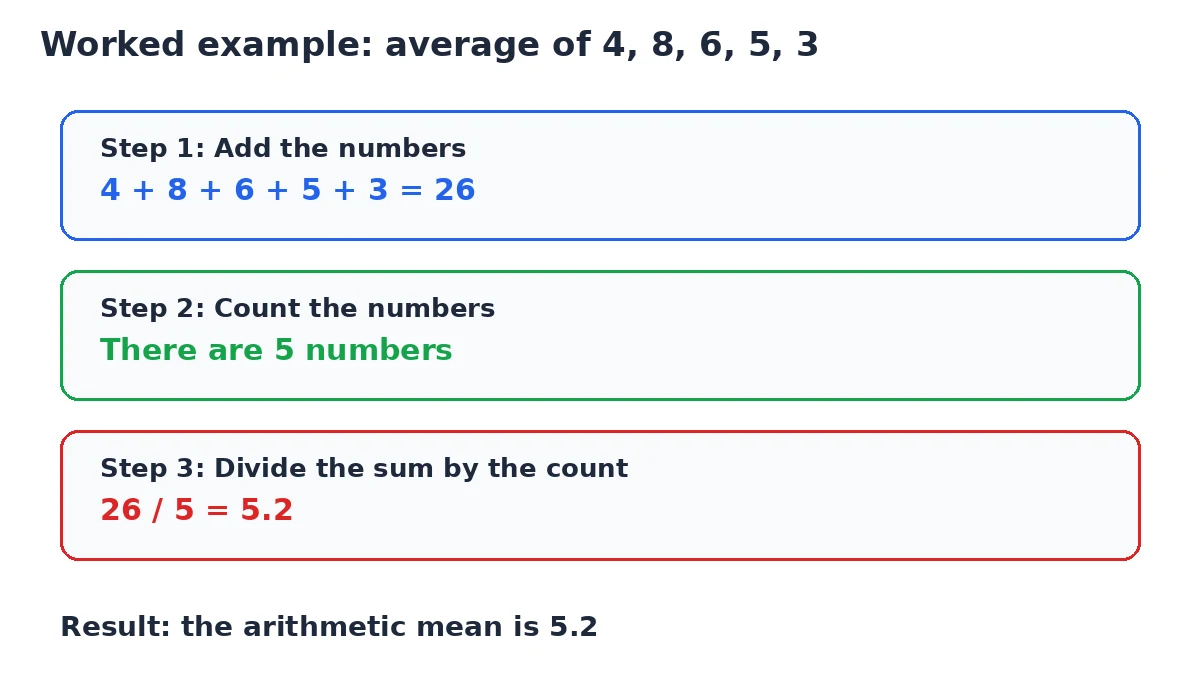
Take the numbers 4, 8, 6, 5, 3. This is exactly what the calculator does with them, step by step:
| Step | Calculation | Result |
|---|---|---|
| 1. Sort the numbers | Arrange 4, 8, 6, 5, 3 in ascending order | 3, 4, 5, 6, 8 |
| 2. Count them | How many values are there | 5 |
| 3. Add them up | 4 + 8 + 6 + 5 + 3 | 26 |
| 4. Divide for the mean | 26 ÷ 5 | 5.2 |
| 5. Find the median | Middle value of the 5 sorted numbers | 5 |
| 6. Find the mode | Each value appears exactly once | No mode |
| 7. Find the range | 8 − 3 | 5 |
Average formulas
- Mean = (x₁ + x₂ + … + xₙ) ÷ n
- Median = the middle value of the sorted data; when there is an even count, the average of the two middle values
- Mode = the value or values with the highest frequency
- Range = maximum − minimum
This calculator reports a plain unweighted mean: every entry counts equally. For a weighted average — such as a GPA where courses carry different credit hours — repeat or weight the values before entering them.
Averages are often just the start of data analysis. For the powers, roots and logarithms that usually follow — for example, squaring the deviations when you move on to standard deviation — our scientific calculator has the functions you need.
All calculation happens in your browser. Nothing you paste is uploaded or stored, so you can use the tool for private lists such as salaries or grades.
Frequently asked questions
How do you calculate an average?
Add all the numbers together and divide by how many there are. For 4, 8, 6, 5 and 3, the sum is 26 and there are 5 numbers, so the average (mean) is 26 ÷ 5 = 5.2. The calculator above does this for you and also reports the median, mode and range.
What is the difference between mean, median and mode?
The mean is the sum divided by the count. The median is the middle value of the sorted list. The mode is the most frequent value. They are three different answers to what is typical: for the set {1, 2, 4, 8, 16}, the mean is 6.2 while the median is 4.
When should I use the median instead of the mean?
Use the median when the data is skewed or contains outliers. A single extreme value pulls the mean toward it but barely moves the median. For house prices or incomes, where a few very large values exist, the median is the more representative typical value.
What does it mean when there is no mode?
It means every value appears the same number of times — usually once — so no value is more frequent than the others. For 4, 8, 6, 5 and 3 there is no mode. A data set can also have two or more modes if several values tie for the highest frequency.
Can the calculator handle decimals and negative numbers?
Yes. Enter values like 2.5, -3 or 0.75 freely, separated by commas, spaces or line breaks. Anything that is not a number is ignored, and you need at least two valid numbers for a result.
How many numbers can I enter?
There is no built-in limit — paste a short list or a few hundred values. Very large pastes are fine because the calculation runs in your browser, and nothing you enter is sent anywhere.
Why is the mean shown with four decimal places?
Four decimals keep the result precise when the division does not come out even, for example 10 ÷ 3 = 3.3333. If you need fewer, round the displayed result to whatever your use case requires.