Unix Timestamp Converter
Convert a Unix timestamp to a readable date, or turn any date and time into a Unix timestamp. You get the UTC time, your local time, the ISO 8601 form, and the weekday, with every step shown.
Formula. timestamp_seconds = milliseconds_since_epoch ÷ 1000, counting whole seconds since 1970-01-01 00:00:00 UTC with no leap seconds.
 \n
\nFormulas verified against standard references. Calculator logic tested with verified worked examples. Published: November 2, 2026 | Last reviewed: November 2026.\nOur methodology\n
What Is a Unix Timestamp?
A Unix timestamp is a single number that marks one exact moment in time. It counts the whole seconds since 00:00:00 UTC on January 1, 1970, the moment called the Unix epoch. The number is identical everywhere at the same instant, which is why databases, logs, and APIs store it instead of written dates.
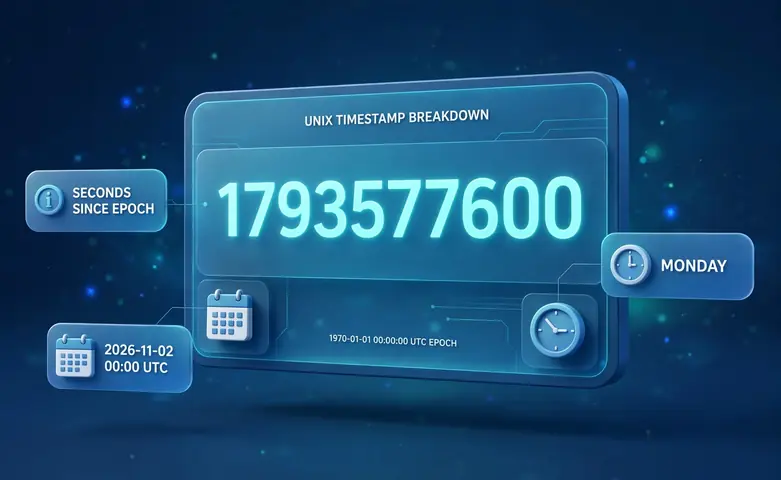
Time zones only matter when the number becomes a readable date. Monday, November 2, 2026, 00:00:00 UTC is 1793577600, and that same number shows a different clock time in every time zone. Use the time zone converter to move a result from UTC into another zone.
The Formula
The conversion is a single division, and the calculator shows its work every time. Here is the exact formula it runs.
timestamp_seconds = milliseconds_since_epoch ÷ 1000
timestamp_seconds is the Unix timestamp, the whole seconds since the epoch. milliseconds_since_epoch is the raw millisecond count the browser keeps for any date. The counting rule is simple. Every timestamp counts whole seconds since 1970-01-01 00:00:00 UTC, and leap seconds are not counted, so every day is exactly 86,400 seconds.
Worked Example
Take 1793577600 and convert it by hand. It is below 1,000,000,000,000, so it is seconds, not milliseconds. Multiply by 1,000 to get 1,793,577,600,000 milliseconds. Divide the seconds by 86,400 to get 20,759.0 days after the epoch, and counting 20,759 days forward from January 1, 1970 lands on November 2, 2026. The date engine reports the weekday. The final answer is Monday, November 2, 2026, 00:00:00 UTC.
How to Use the Converter
- Choose the Timestamp to date tab, enter a timestamp, and press Calculate.
- Read the UTC time, your local time, the ISO 8601 form, and the weekday, plus the breakdown.
- For the reverse, choose the Date to timestamp tab, pick a date and time, and select UTC or your local time.
- Press Calculate to get the timestamp in seconds and milliseconds, or press Use current time anytime to convert the live timestamp.
Seconds vs Milliseconds
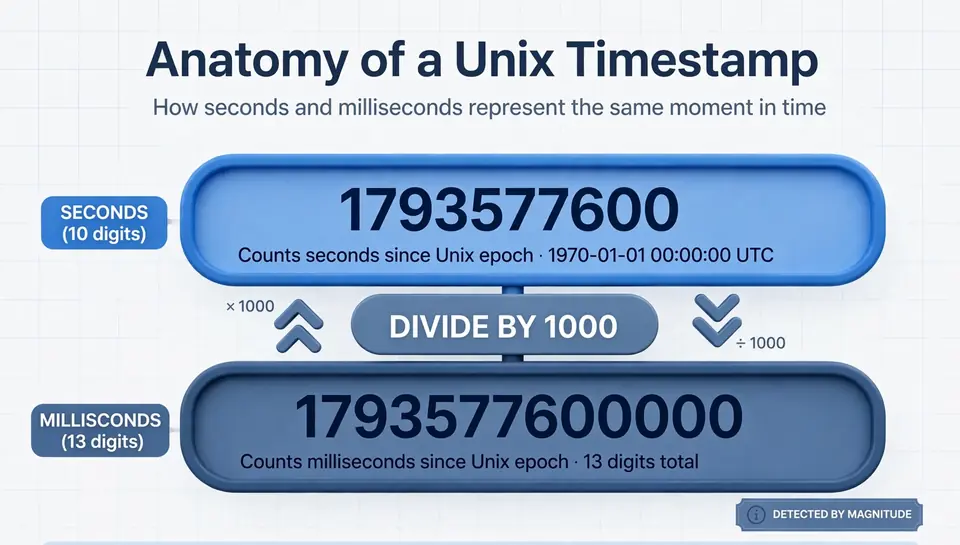
The original definition counts seconds, so a current timestamp has 10 digits. JavaScript, Java, and most browser APIs count milliseconds, which is why the same moment can look like 1793577600 or 1793577600000. Mixing them up is the most common timestamp mistake.
The converter detects the unit by magnitude. Any value of 1,000,000,000,000 or more is treated as milliseconds, and anything smaller is seconds. The result always names the detected unit, so you can check it before you trust the date. For plain calendar math between two dates, the date calculator is the simpler tool.
Time Zones, UTC, and Leap Years
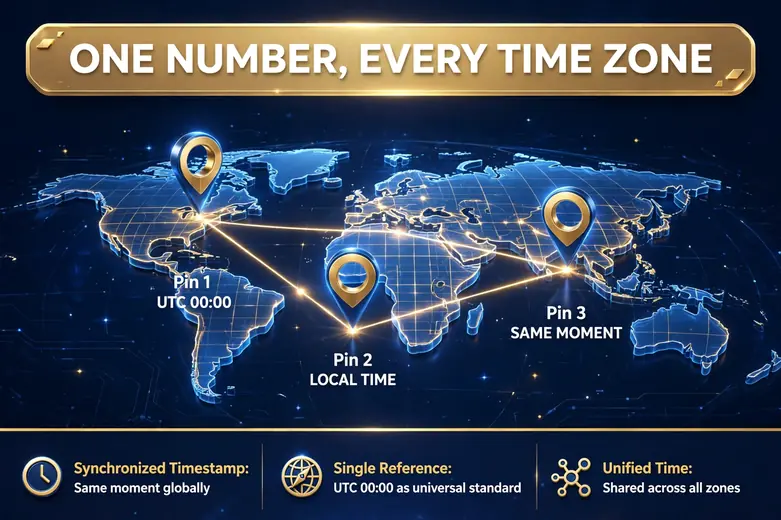
A timestamp has no time zone inside it. 1793577600 is the same moment in London, Karachi, and Tokyo, and the cities only disagree on the wall clock. Convert to UTC first when you compare times from different places, then render into the zone you need.
Leap seconds are the one wrinkle. Real UTC occasionally inserts one, but Unix time skips it and keeps every day at exactly 86,400 seconds. Leap years are handled by the date math itself, since the browser calendar already knows every February 29. For a day-by-day count of a life, the age calculator runs the same calendar math.
Frequently asked questions
What is a Unix timestamp?
It is the number of whole seconds since 00:00:00 UTC on January 1, 1970, the Unix epoch. Leap seconds are not counted, so every day is exactly 86,400 seconds, and the same number means the same moment everywhere.
How do I convert a Unix timestamp to a date?
Choose the Timestamp to date tab, paste the number, and press Calculate. The tool detects seconds versus milliseconds by size and shows the UTC time, your local time, the ISO 8601 form, and the weekday.
How do I convert a date to a Unix timestamp?
Choose the Date to timestamp tab, pick a date and a time, and select UTC or your local time. Press Calculate to get the timestamp in seconds and in milliseconds.
What is the difference between seconds and milliseconds timestamps?
Seconds timestamps have 10 digits and match the original definition. Milliseconds timestamps have 13 digits and are common in JavaScript and Java. Multiply seconds by 1,000 for milliseconds, or divide milliseconds by 1,000 for seconds.
Does a Unix timestamp include a time zone?
No. The number is timezone independent, so 1793577600 is the same moment in every country, and time zones only affect how it is written as a date and clock time.
What happens to Unix timestamps in 2038?
Old 32-bit systems max out at 2147483647, which is January 19, 2038, 03:14:07 UTC. Modern 64-bit systems have no such limit, and this converter handles dates through the year 9999.
Related calculators

Age Calculator
Find your exact age in years, months and days from your birth date.
Use calculatorDate Calculator
Add or subtract days, weeks, months, or years from any date.
Use calculatorDays Alive Calculator
Days, hours, minutes, and seconds you have lived.
Use calculatorTime Zone Converter
Convert any time between time zones with fixed UTC offsets.
Use calculatorDate Difference Calculator
Find the days, weeks and months between two dates.
Use calculatorAnniversary Calculator
Count the exact time since any special date, with countdown.
Use calculatorDay of Week Calculator
Find the day of the week for any date.
Use calculatorCountdown Calculator
Pick a target date and time to see the exact time left.
Use calculatorTime Duration Calculator
Find the exact hours, minutes and seconds between two times.
Use calculatorWeek Number Calculator
Find the ISO week number for any date.
Use calculator