Date Difference Calculator: Days Between Dates
Pick a start date and an end date and this date difference calculator counts the days between them, then expresses the gap four ways: as years, months and days; as months and days; as weeks and days; and as a plain total of calendar days. You also get a weekday/weekend breakdown and two month calendars that highlight the span.
Date math follows the Gregorian calendar. Calculator logic tested with verified worked examples. Last reviewed: October 2026. Our methodology
How the date difference is calculated
The total is the number of whole 24-hour days from the start date to the end date, counted in UTC so daylight-saving shifts never add or remove a day. From that total, the other formats are derived.
- Total days: end date − start date. By default the end date itself is not counted, so 1 January to 2 January is 1 day.
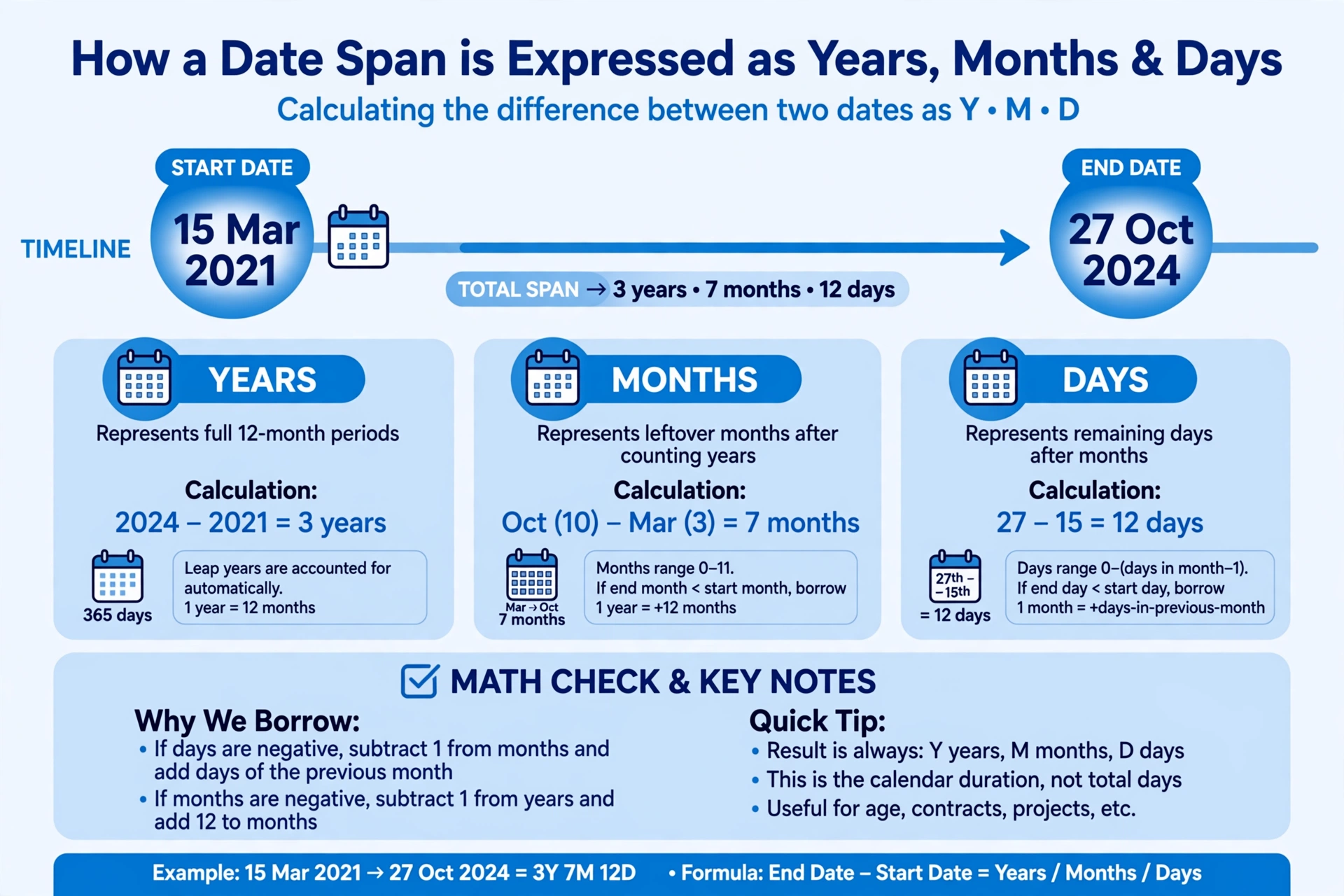
- Years, months, days: pure calendar arithmetic. Subtract year from year, month from month, day from day. If the day subtraction goes negative, borrow one month and add that month's length; if the month subtraction goes negative, borrow one year and add 12 months.
- Months, days: the same result with years folded into months (years × 12 + months).
- Weeks, days: whole weeks = total days ÷ 7 rounded down, with the remainder as days.
- Weekdays and weekend days: the calculator walks day by day from the start date, counting Monday–Friday as weekdays and Saturday–Sunday as weekend days.
Sources: the four-format breakdown mirrors calculator.net's Date Duration Calculator; calendar rules follow the proleptic Gregorian calendar described in the month table below.
Worked example
Take 1 January 2026 to 18 October 2026. The days before October are 31 + 28 + 31 + 30 + 31 + 30 + 31 + 31 + 30 = 273, plus 17 days of October gives 290 days in total.
Years, months, days: 2026 − 2026 = 0 years; 10 − 1 = 9 months; 18 − 1 = 17 days — so 0 years 9 months 17 days. That is also 9 months 17 days, and 290 ÷ 7 = 41 remainder 3, so 41 weeks 3 days. Walking the 290 days one by one finds 207 weekdays and 83 weekend days (207 + 83 = 290, which checks out).
How to use the date difference calculator
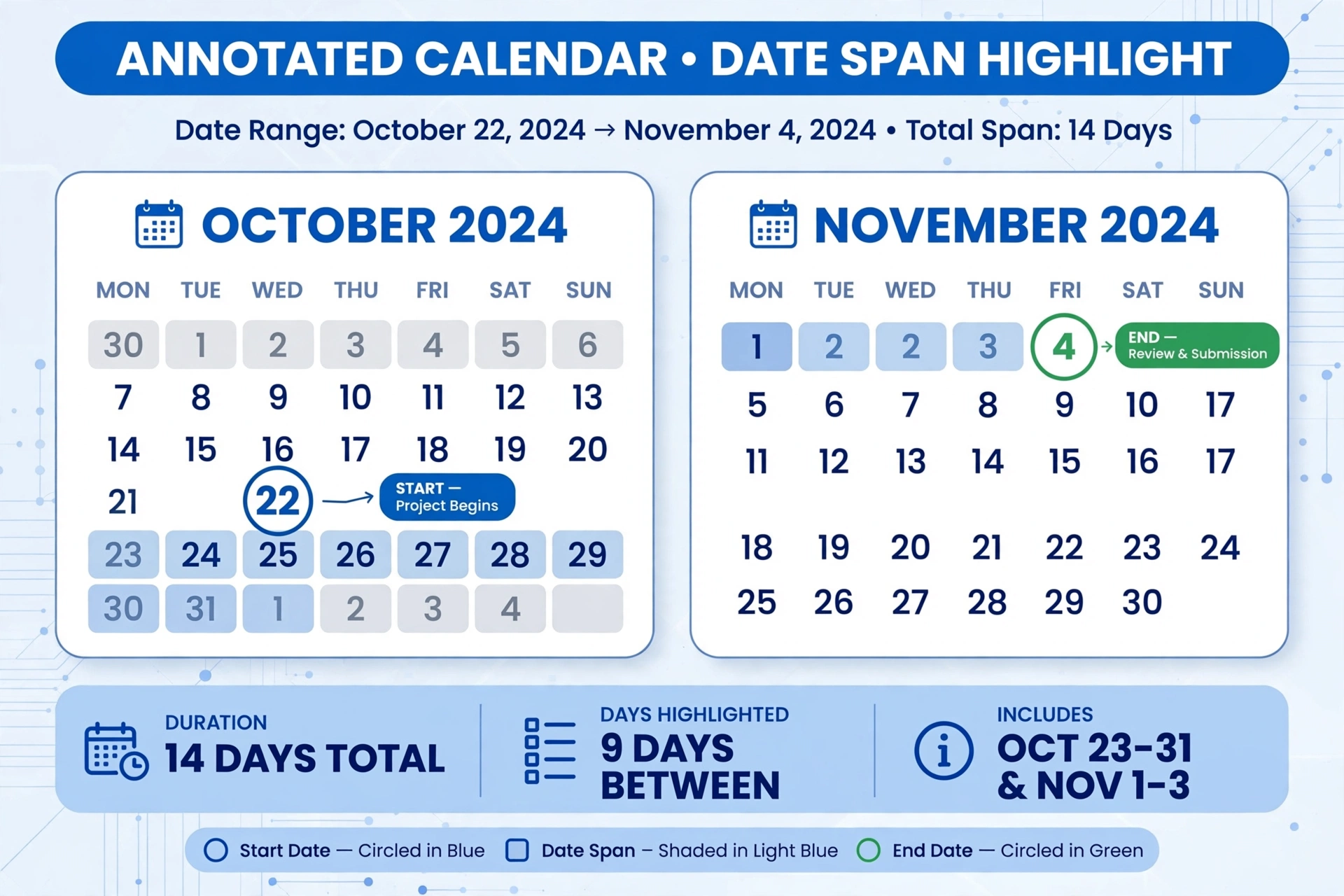
Pick both dates from the native calendar pickers — typing is allowed too — then press Calculate. The four headline figures appear first, followed by the weekday/weekend breakdown and the two highlighted month calendars.
Step by step
- Pick the start date. Click the field to open your device's calendar picker, or type the date in YYYY-MM-DD format.
- Pick the end date. If it falls before the start date, the calculator swaps the two and tells you it did.
- Decide about the end date. Tick "Include the end date in the count" only when the end day itself should be counted — most durations exclude it.
- Press Calculate. Read the four formats, the weekday/weekend split and the calendars; use Reset to clear everything.
How the years–months–days breakdown works
Months have different lengths, so "9 months 17 days" cannot be converted to an exact number of days — it is a calendar position, not a fixed count. The years–months–days format keeps the answer honest: it tells you where the end date lands on the calendar, while the total-days figure gives you the exact count. That is why the calculator shows both, like calculator.net's date calculator does.
The borrowing rule is the whole trick. When the day of the end date is smaller than the day of the start date, the calculator borrows one month and adds that month's actual length (28, 29, 30 or 31 days) — never an average. This is why 31 January to 1 March is 1 month 1 day in a non-leap year but 1 month 2 days across a leap-year February.
Breakdown formats compared
| Format | 1 Jan 2026 → 18 Oct 2026 | Best for |
|---|---|---|
| Years, months, days | 0 years 9 months 17 days | Age-like durations, anniversaries, contract terms |
| Months, days | 9 months 17 days | Notice periods, payment schedules, subscription terms |
| Weeks, days | 41 weeks 3 days | Project timelines, training plans, schedules |
| Total days | 290 days | Exact counts, interest accrual, day-by-day math |
If the span you care about is a person's age rather than a generic duration, our age calculator is the better fit: it frames the same years–months–days arithmetic around a birth date and a current date.
A short note on the Gregorian calendar
This calculator uses the Gregorian calendar — the civil calendar used almost everywhere today — for every date it accepts. A year is 365 days, and a leap day is added when the year is divisible by 4, except for century years, which must also be divisible by 400. So 2024 was a leap year, 2000 was a leap year, but 1900 and 2100 are not.
Month lengths
| Month | Days | Month | Days |
|---|---|---|---|
| January | 31 | July | 31 |
| February | 28 (29 in leap years) | August | 31 |
| March | 31 | September | 30 |
| April | 30 | October | 31 |
| May | 31 | November | 30 |
| June | 30 | December | 31 |
The leap rule matters most around February. 2024-02-28 to 2024-03-01 is 2 days because 29 February 2024 existed; the same dates in 2023 give 1 day. If you want to double-check a result against an independent tool, timeanddate.com's date duration calculator is a solid second opinion.
Common uses
People reach for a date difference calculator for the spans that matter: how long a project ran, how many days until a deadline, the exact length of a notice period, the gap between two events, or how far apart two birthdays are. The weeks format is handy for schedules, and the total-days figure is what you need when every day counts the same — daily rates, interest, or countdown-style math.
One thing this page deliberately does not do is business-day counting. If you need working days only — excluding weekends and holidays for a contract or a payroll run — use our workdays calculator instead; that tool is built around business days, while this page counts every day on the calendar. And if you want a live ticking counter toward an upcoming event rather than a fixed span, the countdown calculator is the right tool.
Frequently asked questions
How do I find the number of days between two dates?
Subtract the start date from the end date and count whole days. By convention the end date itself is not counted, so 1 January to 2 January is 1 day. Enter both dates in the calculator above and press Calculate — it shows the total days plus the difference in years, months, days and weeks.
How is the years-months-days breakdown calculated?
It is calendar arithmetic, not an average. Subtract year from year, month from month and day from day. If the day subtraction goes negative, borrow one month and add that month's actual length (28 to 31 days); if the month subtraction goes negative, borrow one year and add 12 months. For 1 January 2026 to 18 October 2026 this gives 0 years 9 months 17 days.
Does the difference include the end date?
By default, no — the end date is excluded, matching calculator.net's convention. Tick the 'Include the end date in the count' checkbox if you want it counted, which adds exactly one day to every figure.
What happens if the end date is before the start date?
The calculator swaps the two dates automatically and shows a note saying it did so. The difference is always reported as a positive span.
How does the calculator handle leap years?
Leap days are counted exactly. A year divisible by 4 is a leap year, except century years which must also be divisible by 400 — so 2024 had 29 February but 2100 will not. 2024-02-28 to 2024-03-01 is 2 days; the same dates in 2023 give 1 day.
What is the difference between this calculator and the Workdays Calculator?
This page counts every calendar day and shows the full breakdown — years, months, days, weeks, weekdays and weekend days — with highlighted month calendars. The Workdays Calculator is for business-day counting: it excludes weekends and holidays and is built for contracts, payroll and project schedules.
What calendar system does this calculator use?
The Gregorian calendar, the civil calendar used almost everywhere today. The arithmetic is applied uniformly to every date you enter, including leap-year rules for February.
Related calculators

Age Calculator
Find your exact age in years, months and days from any birth date.
Use calculatorTime Duration Calculator
Measure the time between two moments in days, hours, minutes and seconds.
Use calculatorCountdown Calculator
Count down to any future date and see exactly how much time is left.
Use calculator