Countdown Calculator: Days, Hours, Minutes and Seconds Left
Pick a future date and time and see exactly how long is left — days, hours, minutes and seconds — plus the total weeks, total hours and the weekday of your target date.
The countdown formula
A countdown is one subtraction followed by a breakdown. Take the target moment, subtract right now, and convert the difference into days, hours, minutes and seconds.
- Remaining time = target date and time − current date and time
- Days = floor(remaining seconds ÷ 86,400), then hours = floor(remainder ÷ 3,600), then minutes = floor(remainder ÷ 60), then seconds = the final remainder
- Total weeks = remaining seconds ÷ 604,800, shown to one decimal place; total hours = floor(remaining seconds ÷ 3,600)
- Target weekday comes from the calendar position of the target date
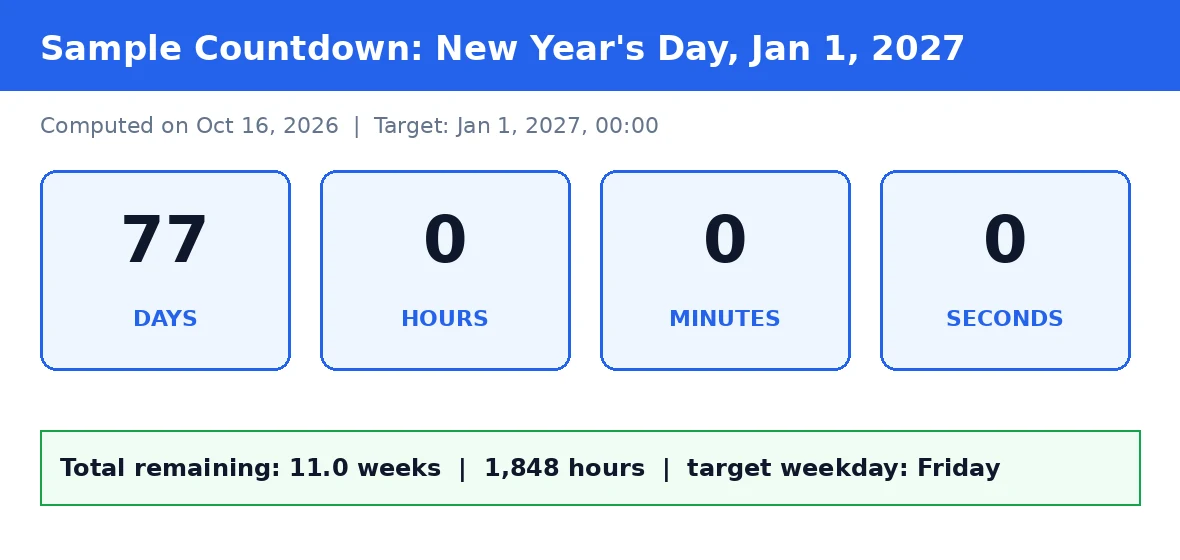
Worked example: countdown to New Year's Day 2027
Set the target to January 1, 2027 at 00:00 and compute at midnight on October 16, 2026.
- October 16 → October 31 gives 15 days; November adds 30; December adds 31; January 1 adds 1. Total: 15 + 30 + 31 + 1 = 77 days.
- With both ends at midnight, hours, minutes and seconds are all 0 — the display reads 77 days, 0 hours, 0 minutes, 0 seconds.
- Total weeks = 77 ÷ 7 = 11.0; total hours = 77 × 24 = 1,848.
- January 1, 2027 falls on a Friday.
Enter the same target above and the calculator produces exactly this result.
How to use the countdown calculator
Two inputs, one button, and you know exactly how long is left until your event.
Step by step
- Pick the target date. Use the date picker to choose the day of your event. A sample date is pre-filled so you can see the output right away.
- Set the target time. Use the time picker for a precise hour and minute, or leave the default of 00:00 (midnight) for all-day events.
- Press Calculate. The calculator works out the remaining time the moment you submit the form.
- Read the results. The large display shows days, hours, minutes and seconds; below it you get total weeks, total hours and the target weekday.
- Reset clears the results so you can start a new countdown.
What you get
- Days, hours, minutes, seconds remaining until the target
- Total weeks (to one decimal) and total hours remaining
- Target weekday, such as Friday for January 1, 2027
- A clear error if the target date is in the past
Understanding your results
The big display is the headline: how many whole days, hours, minutes and seconds stand between now and your target. The three figures below it answer the follow-up questions people usually ask next: roughly how many weeks is that, how many hours in total, and what day of the week will it be.
Time-unit conversion reference
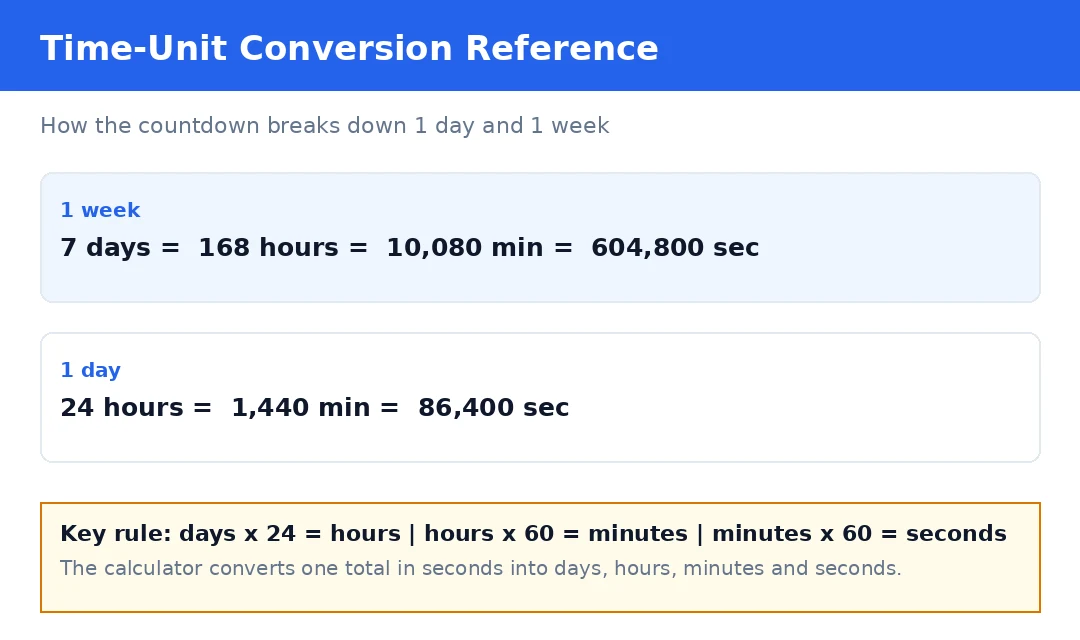
The calculator works from one total in seconds and breaks it down using these exact conversions:
| Unit | Equals | In seconds |
|---|---|---|
| 1 minute | 60 seconds | 60 |
| 1 hour | 60 minutes | 3,600 |
| 1 day | 24 hours | 86,400 |
| 1 week | 7 days | 604,800 |
What people count down to
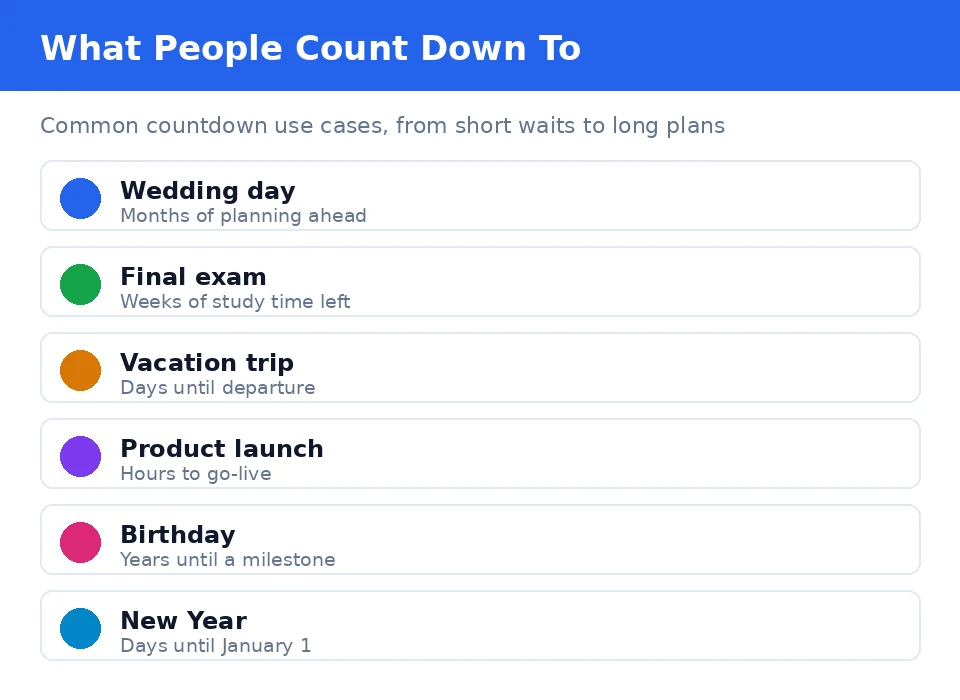
Countdowns turn a vague future date into a concrete number, which makes planning easier. The table shows the most common use cases and the horizon people usually plan on.
| Event | Typical planning horizon | What the countdown answers |
|---|---|---|
| Wedding | Months | Days left to book the venue, send invitations and arrange travel |
| Final exam | Weeks | Study days remaining before the test |
| Vacation | Days to weeks | Days until departure |
| Product launch | Hours to days | Hours left before go-live |
| Milestone birthday | Months to a year | Days until the big day |
| New Year | Weeks to months | Days until January 1 |
Counting down to a milestone birthday? Once you know how many days are left, our age calculator tells you exactly how old the birthday person will turn on the day.
Countdowns, durations and accuracy notes
A countdown always measures from right now to a future moment. If you need the time between any two dates you choose — past or future — our time duration calculator is the right tool for that job.
Time zones and daylight saving
Your target is interpreted in your device's local time zone. If the countdown crosses a daylight-saving change, the hour total can shift by one hour. For day-level planning, the days and weeks figures are the reliable ones.
A snapshot, not a live clock
The seconds figure is a snapshot taken when you press Calculate. It does not tick on its own. Press Calculate again any time for a fresh reading.
Double-checking the weekday
The weekday comes straight from the calendar, but if you want an independent check, timeanddate.com's countdown tool lists the weekday for future dates alongside its own countdown.
Frequently asked questions
How does the countdown calculator work?
Enter a future date and an optional time. The calculator subtracts the current moment from your target and splits the difference into days, hours, minutes and seconds. It also reports the total weeks, the total hours and the weekday your target date falls on.
What happens if my target date is in the past?
You will see an error message telling you the target date is in the past. A countdown only makes sense for future moments, so pick a date and time that has not happened yet and press Calculate again.
Is the seconds count live?
No. The result is a snapshot taken at the moment you press Calculate. The seconds do not tick on their own. Press Calculate again any time for a fresh reading.
Does the countdown account for daylight saving time?
Your target is interpreted in your device's local time zone. If the countdown crosses a daylight-saving change, the hour total can shift by one hour. For day-level planning, rely on the days and weeks figures, which are not affected in practice.
What is the difference between a countdown and a time duration?
A countdown measures from right now to a future moment. A time duration measures between any two dates you choose, past or future. For two arbitrary dates, use our time duration calculator.
How is the target weekday found?
The weekday comes from the calendar position of the target date. For example, January 1, 2027 falls on a Friday. You can cross-check any weekday against an independent date reference.
Can I count down to a birthday or anniversary?
Yes. Enter this year's date for the event. If it has already passed this year, use next year's date instead and the calculator will count down to that.
Is my date stored or sent anywhere?
No. Everything is computed locally in your browser. Your target date never leaves your device.