Data Transfer Rate Converter
Enter a speed value, pick the unit it is in, and pick the unit you want. Get the converted rate plus the equivalent in every supported unit, from bits per second to terabytes per second.

Formulas verified against standard references. Calculator logic tested with verified worked examples. Published: November 2, 2026 | Last reviewed: November 2026. Our methodology
What This Data Transfer Rate Converter Does
Convert data transfer rates between ten units in two families: bit-based units from bit/s to terabit/s, and byte-based units from byte/s to terabyte/s. The tool shows the conversion factor it used, the step-by-step working, and the equivalent rate in every supported unit, so one conversion answers the follow-up questions too.
All conversions use SI decimal factors, the networking standard: 1 kilobit/s = 1,000 bit/s, 1 megabit/s = 1,000,000 bit/s, and 1 byte = 8 bits. The section on decimal versus binary units below explains when the 1,024 convention applies instead.
The Conversion Formula
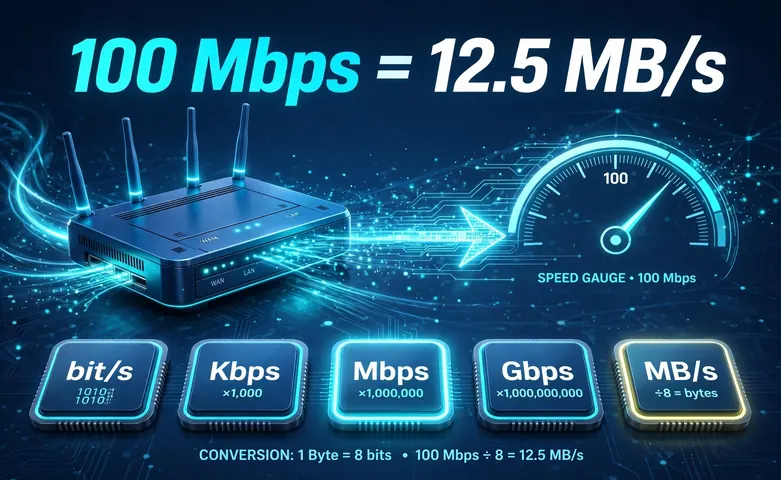
Every conversion runs on one formula. Result = value x (source factor / target factor). The value is the number you entered. The source factor is the from-unit expressed in bit/s, and the target factor is the to-unit expressed in bit/s. Dividing the two gives the factor you multiply by.
The factors are fixed by definition. A kilobit is 1,000 bits, a megabit is 1,000,000 bits, a gigabit is 1,000,000,000 bits, a terabit is 1,000,000,000,000 bits, and every byte-based unit is 8 times its bit-based twin. The same power-of-ten logic runs across the site, including the voltage converter.
| Unit | Symbol | Bits per second |
|---|---|---|
| Bit per second | bit/s | 1 |
| Kilobit per second | kbit/s | 1,000 |
| Megabit per second | Mbps | 1,000,000 |
| Gigabit per second | Gbps | 1,000,000,000 |
| Terabit per second | Tbps | 1,000,000,000,000 |
| Byte per second | B/s | 8 |
| Kilobyte per second | kB/s | 8,000 |
| Megabyte per second | MB/s | 8,000,000 |
| Gigabyte per second | GB/s | 8,000,000,000 |
| Terabyte per second | TB/s | 8,000,000,000,000 |
Worked Example: 100 Mbps to MB/s
The most-searched data rate conversion, done step by step. Convert 100 megabits per second to megabytes per second.
Find the factors: the source factor for Mbps is 1,000,000 bit/s, and the target factor for MB/s is 8,000,000 bit/s. Compute the factor: 1,000,000 / 8,000,000 = 0.125. Multiply the value: 100 x 0.125 = 12.5 MB/s.
Check it backwards: 12.5 MB/s x 8,000,000 = 100,000,000 bit/s, and 100,000,000 / 1,000,000 = 100 Mbps. The math closes both ways, which is how you know the factor is right.
Bits vs Bytes: Why Your 100 Mbps Plan Downloads at 12.5 MB/s
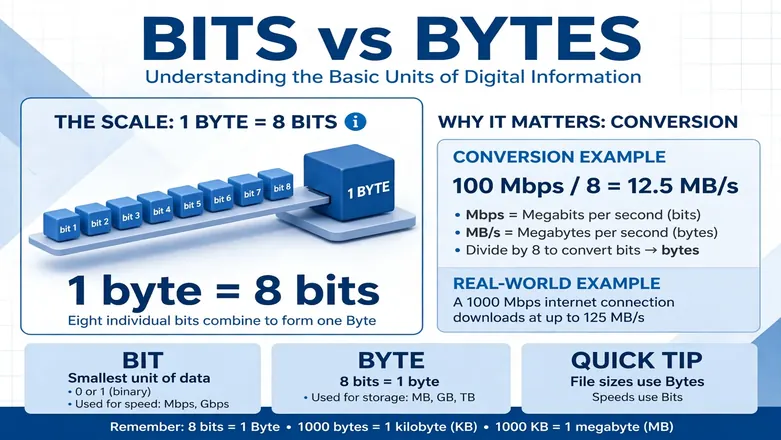
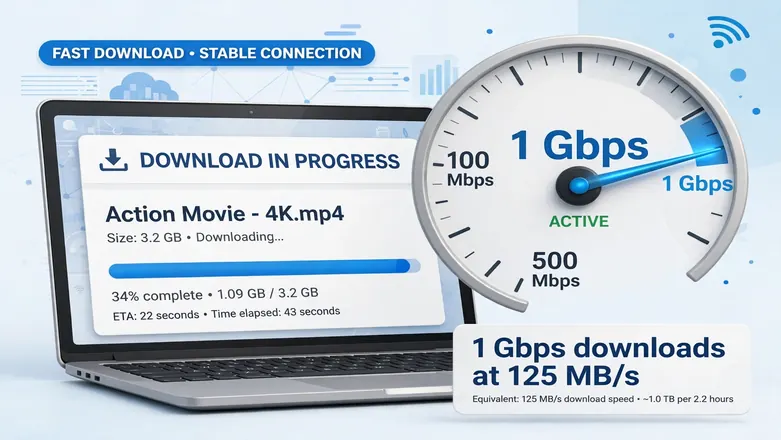
This is the single biggest source of confusion in internet speeds. Internet providers advertise in megabits per second, while browsers and download managers show megabytes per second. Because 1 byte = 8 bits, you divide the advertised speed by 8 to get your download speed. A 100 Mbps plan tops out at about 12.5 MB/s, and a 1 Gbps plan tops out at 125 MB/s.
The case of the letters tells you which unit you are looking at: a lowercase b means bits (Mbps), an uppercase B means bytes (MB/s). The data storage converter can help you plan downloads once you know your real rate, and the speed converter handles the other kind of speed entirely.
Decimal Units vs Binary Units
Networking uses SI decimal prefixes, so 1 megabit = 1,000 kilobits = 1,000,000 bits. This is the standard your ISP, your speed test, and the IEEE 802 family all follow. The binary convention, where 1 kibibit = 1,024 bits, belongs to the IEC 80000-13 standard and shows up in memory specs and some software, not in advertised network speeds.
This converter uses decimal factors only, and it says so in the settings note on the tool. If you are comparing against software that reports in mebi or gibi units, expect about a 5 percent gap at the mega scale and about a 7 percent gap at the giga scale, because 1,048,576 / 1,000,000 = 1.048576. The data storage converter is the right place to sort out file sizes measured the binary way.
| Convention | kilo | mega | giga |
|---|---|---|---|
| SI decimal (networking) | 1,000 | 1,000,000 | 1,000,000,000 |
| IEC binary (memory, some software) | 1,024 | 1,048,576 | 1,073,741,824 |
Rounding and Precision
The decimal places selector on the tool controls display only. The conversion itself is an exact ratio, and the tool rounds only the shown result to the decimals you picked, from none up to eight. Four decimals is the default, which keeps everyday answers like 12.5 MB/s clean without hiding precision when it matters.
Very large results, such as a terabit rate expressed in bit/s, are shown with thousands separators so the zeros stay readable. Values that would overflow normal display fall back to scientific notation. And if you need to estimate how long a file takes at a given rate, the time converter helps you express the answer in hours and minutes.
Frequently asked questions
How do you convert Mbps to MB/s?
Divide by 8. Because 1 byte = 8 bits, megabytes per second = megabits per second / 8. So 100 Mbps = 12.5 MB/s, 300 Mbps = 37.5 MB/s, and 1,000 Mbps (1 Gbps) = 125 MB/s.
Is 1 Gbps equal to 1,000 or 1,024 Mbps?
1,000 Mbps in networking. Internet speeds use SI decimal prefixes, so a gigabit is exactly one billion bits per second. The 1,024 figure comes from the binary convention used in memory and some software; the IEC calls that unit the gibibit (Gib).
How many Mbps are in 1 MB/s?
8 Mbps. Multiply megabytes per second by 8 to get megabits per second. The 8x gap is the whole reason a 100 Mbps plan shows downloads at about 12.5 MB/s.
Why is my real download speed lower than my plan speed?
Protocol overhead eats about 3 percent of the advertised rate, and Wi-Fi, the server you download from, and other devices on your network can take more. The converter shows the theoretical maximum, which is the right number for unit math and a useful ceiling for real-world checks.
What is the difference between bit/s and byte/s?
bit/s counts individual bits, while byte/s counts groups of eight bits. A lower-case b marks bits (Mbps) and an upper-case B marks bytes (MB/s). One byte per second is eight times one bit per second.
Related calculators
Data Storage Converter
Convert between bytes, KB, MB, GB, and TB.
Use calculatorSpeed Converter
Convert between km/h, mph, m/s, and knots.
Use calculatorTime Converter
Convert between seconds, minutes, hours, and days.
Use calculatorVoltage Converter
Convert between volts, mV, kV, uV, and MV.
Use calculatorPower Converter
Convert between watts, kW, hp, and BTU/hr.
Use calculatorFrequency Converter
Convert between Hz, kHz, MHz, and GHz.
Use calculatorEnergy Converter
Convert between joules, calories, kWh, and BTU.
Use calculatorAcceleration Converter
Convert between m/s2, g-force, and more.
Use calculatorLength Converter
Convert between metric and imperial lengths.
Use calculatorWeight Converter
Convert between kg, pounds, ounces, and grams.
Use calculator