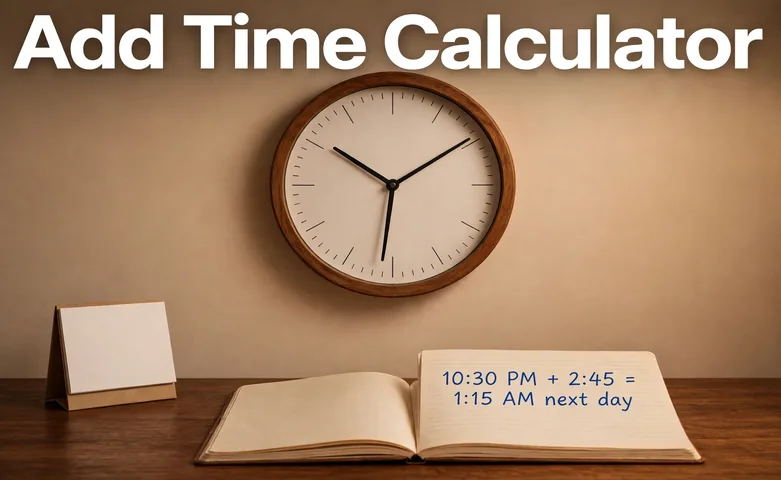
Add Time Calculator

Add or subtract time without the carrying mistakes. Enter a start time and a duration, pick add or subtract, and this add time calculator shows the resulting time, whether it lands on the same day or crosses midnight, and the total duration in hours, minutes and decimal hours.

The clock time you start from, in 24 hour format.

Add the duration to the start time, or take it away.

The time to add or subtract, as hours and minutes. Up to 23 hours 59 minutes.

Optional extra whole days to add to the duration.

Optional extra hours to add to the duration.

Optional extra minutes to add to the duration.

Formula: convert every time to minutes first. Total minutes = days x 1,440 + hours x 60 + minutes. Add or subtract the totals, then split the result back into days, hours and minutes, and wrap the clock time at 24 hours. The day offset is the whole number of days the result moved from the start day.

How to Use the Add Time Calculator

Enter a start time, enter the duration, and pick add or subtract. The calculator does the carrying for you, wraps the clock at midnight, and tells you which day the answer lands on.

  1. Enter the start time. Tap the field to open the time picker.
  2. Pick add or subtract.
  3. Enter the duration as hours and minutes, for example 02:45.
  4. Add extra days, hours or minutes if the duration is longer than a day or you want to top it up.
  5. Press Calculate, or press Enter. The resulting time appears first and large, with the total duration, the decimal hours and the day offset below.
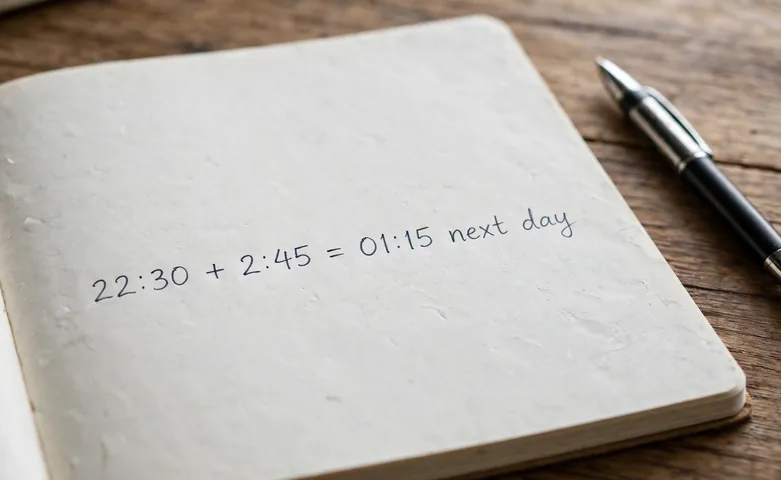
A photo of a large wall clock above a desk calendar with a pen and a notebook showing time calculations
10:30 PM plus 2 hours 45 minutes is 1:15 AM the next day.

The Add Time Formula

Time is not written in base 10. Sixty minutes make an hour and 24 hours make a day, so adding 45 minutes to 30 minutes gives 75 minutes, which is 1 hour and 15 minutes, not 75 of anything. The calculator avoids carrying mistakes by turning every time into whole minutes first, doing one addition or subtraction, and then splitting the total back into units.

The formula is total minutes = days x 1,440 + hours x 60 + minutes. A start time of 22:30 is 22 x 60 + 30 = 1,350 minutes, and a duration of 2:45 is 2 x 60 + 45 = 165 minutes. Add them for 1,515 minutes, divide by 60 for 25 hours and 15 minutes, and wrap at 24 hours to get 01:15 the next day. Our time calculator adds and subtracts hours, minutes and seconds the same way, and our time duration calculator finds the time between two clock times.

Worked Example: 10:30 PM Plus 2 Hours 45 Minutes

Start at 10:30 PM and add 2 hours 45 minutes. Here is exactly what the calculator does.

  1. Start time in minutes: 22:30 = 22 x 60 + 30 = 1,350 minutes.
  2. Duration in minutes: 2:45 = 2 x 60 + 45 = 165 minutes.
  3. Add: 1,350 + 165 = 1,515 minutes.
  4. Split back: 1,515 / 60 = 25 hours and 15 minutes.
  5. Wrap at 24 hours: 25 hours 15 minutes is 1 hour 15 minutes past midnight, so the answer is 01:15 AM the next day.

As a second check, 9:00 AM plus 1 hour 30 minutes is 10:30 AM the same day, because 540 + 90 = 630 minutes, which is 10 hours 30 minutes with no wrap. The same steps work for any start time and duration, so try your own numbers in the tool above.

A photo of a close-up of a wristwatch showing 10:09 beside a paper timesheet with hours written in pen
22:30 plus 165 minutes is 01:15, one day later.

Crossing Midnight

The clock wraps every 24 hours, so adding time can push the answer into the next day, and subtracting can pull it into the previous day. The calculator tracks that with a day offset. Add 2 hours 45 minutes to 10:30 PM and the offset is plus 1 day. Subtract 1 hour from 12:30 AM and the offset is minus 1 day, landing at 11:30 PM the day before.

The offset counts whole days only. Add exactly 24 hours and the clock reads the same, with an offset of plus 1 day. Add 23 hours 45 minutes to 8:15 AM and you land at 8:00 AM the next day, because 495 + 1,425 = 1,920 minutes, which is 32 hours exactly. Subtract the same amount from the same start and the result is still a valid clock time, just on an earlier day.

This calculator does clock arithmetic only. It does not know your time zone or daylight saving time, so across a clock change the real result can be an hour off. Check the date and the time zone when the answer decides a deadline or a shift.

Adding and Subtracting Time by Hand

To add by hand, add each unit separately starting with the smallest, and carry whenever a column reaches 60. Add 2 hours 45 minutes and 1 hour 30 minutes. The minutes add to 75, which is 1 hour and 15 minutes, so write 15 and carry 1 to the hours. The hours become 2 + 1 + 1 = 4, so the total is 4 hours 15 minutes.

To subtract, work from the smallest unit up. When the top number is smaller than the one below it, borrow 1 from the next larger unit and add 60. Subtract 2 hours 30 minutes from 10:00. The minutes need a borrow, so 10:00 becomes 9:60, then 9:60 minus 2:30 is 7:30.

Decimal hours are a different format, not a different answer. Divide the total minutes by 60. A duration of 2 hours 45 minutes is 165 / 60 = 2.75 hours, and 45 minutes is 0.75 hours. Payroll systems usually want decimal hours, so the calculator shows both.

Common Mistakes to Avoid

The most common mistake is adding minutes like decimal numbers. 8:30 plus 7:45 is not 15:75, it is 16:15, because 75 minutes carries into an hour. Always carry at 60, never at 100.

A second mistake is forgetting the day when the clock wraps. 10:30 PM plus 2 hours 45 minutes is 1:15 AM, but it is 1:15 AM the next day, not the same day. If the answer sets an alarm or a deadline, the day matters as much as the time.

A third mistake is mixing up the duration and the start time. The duration is a length of time, like 2 hours 45 minutes, and it can be longer than 24 hours when you add the extra days, hours and minutes fields. The start time is a point on the clock, and it always sits inside one day. Keep the two apart and the answer stays right.

A photo of a person checking a wall clock at midnight in a quiet office with a laptop showing a schedule
The day offset tells you when the answer crosses midnight into the next day.

Frequently asked questions

How do you add hours and minutes?

Add the hours and the minutes separately, then carry every 60 minutes into an hour. For 2 hours 45 minutes plus 1 hour 30 minutes, the minutes add to 75, which is 1 hour 15 minutes, so the total is 4 hours 15 minutes.

What time is 2 hours 45 minutes after 10:30 PM?

1:15 AM the next day. 10:30 PM is 1,350 minutes and 2 hours 45 minutes is 165 minutes, so the total is 1,515 minutes, which is 25 hours 15 minutes, or 1:15 AM one day later.

How do you subtract time?

Convert both times to minutes, subtract, then split the answer back into hours and minutes. 10:00 minus 2:30 is 600 minus 150, which is 450 minutes, or 7:30. Borrow 60 minutes from the hours when the minutes run short.

What is 2 hours 45 minutes in decimal hours?

2.75 hours. Divide the total minutes by 60, so 165 / 60 = 2.75. Payroll systems usually want decimal hours, so the calculator shows the total both ways.

Can the calculator add more than 24 hours?

Yes. Use the extra days, hours and minutes fields for the part beyond the 23 hour 59 minute duration. 12:00 plus 1 day, 2 hours and 15 minutes is 2:15 PM the next day, a total of 26 hours 15 minutes.

Does the calculator handle daylight saving time?

No. It does clock arithmetic only and does not know your time zone or daylight saving time. Across a clock change the real result can be an hour off, so check the time zone for deadlines and shifts.

Start Calculating Now!

Discover the power of smart tools at KitQuarter.

Explore All Tools