SaaS Churn Rate Calculator
Work out how many customers your SaaS business loses in a period, and what that loss is worth. Enter the customers you started with and the customers you lost, add new customers and MRR if you have them, and the calculator shows the churn rate, the retention rate, the annualized churn and the revenue churn, step by step. Free, no sign-up, everything runs in your browser.
Formulas. Customer churn rate = (Customers lost ÷ Customers at start) × 100. Retention rate = 100 − Churn rate. Revenue churn rate = (MRR lost ÷ MRR at start) × 100. Net churn rate = ((Customers lost − New customers) ÷ Customers at start) × 100. Annualized churn = (1 − (1 − Monthly churn)12) × 100.

Formulas verified against standard references. Calculator logic tested with verified worked examples. Published: November 7, 2026 | Last updated: November 7, 2026. Fact-checked: November 7, 2026. Our methodology
How to Use the SaaS Churn Rate Calculator
Getting an answer takes five quick steps. The calculator needs only two numbers for the main result, and the rest are optional extras that add retention, net churn and revenue churn.
- Choose the period length. Monthly is the standard for SaaS teams, and annual matches how most benchmarks report churn.
- Type the customers you had at the start of the period. Count paying customers only, and leave out free trials and free-plan accounts.
- Type the customers from that starting group who cancelled or did not renew during the period. Do not count customers who joined during the period here.
- Optionally type the new customers you gained, and your MRR at the start and the MRR you lost.
- Press Calculate, or press Enter. The churn rate appears first and large, with retention, annualized churn and the steps below. Press Reset to start over.
The SaaS Churn Rate Formula
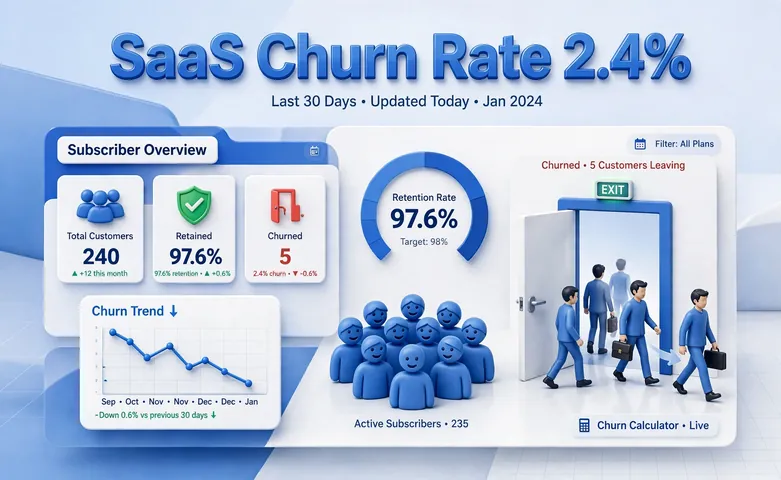
The formula is short, and the denominator is the part that matters most. Stripe states it as churn rate equals the number of customers lost divided by the number of customers at the start, times 100.
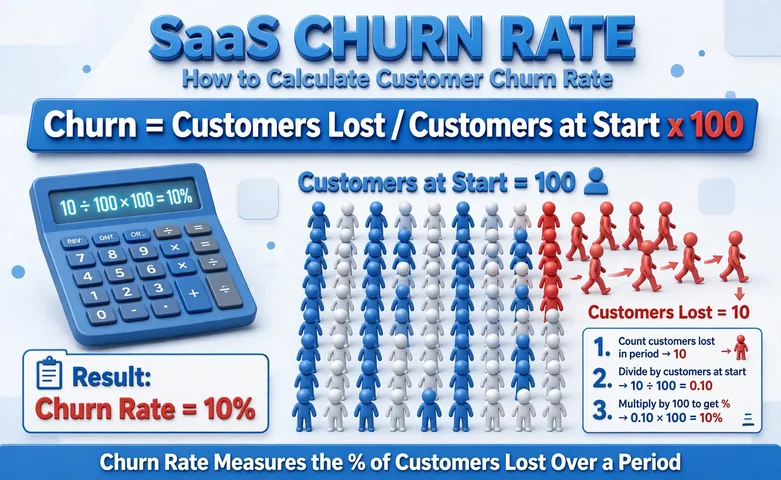
Customer churn rate = (Customers lost ÷ Customers at start) × 100. Customers lost means paying customers from the starting group who cancelled or did not renew during the period. Customers at start means the paying customers you had on day one, before any losses or new signups. New customers never go into either number.
Retention rate = 100 − Churn rate. If 2.40% of customers churn, 97.60% stay. Retention and churn always add up to 100%.
Revenue churn rate = (MRR lost ÷ MRR at start) × 100. MRR is monthly recurring revenue, and MRR lost covers cancellations and downgrades. This rate weights the loss by money, so losing one large account moves it far more than losing several small ones.
Annualized churn = (1 − (1 − Monthly churn)12) × 100. Monthly churn compounds against a shrinking base, so the annualized figure is not monthly churn times 12. A quarterly or annual period is first converted to its monthly equivalent.
Worked Example: 500 Customers and 12 Lost
A SaaS company starts the month with 500 paying customers and loses 12 of them by month end. Here is exactly what the calculator does.
- Churn rate = 12 ÷ 500 × 100 = 2.40%.
- Retention rate = 100 − 2.40 = 97.60%, and customers retained = 500 − 12 = 488.
- Annualized churn = (1 − (1 − 0.024)12) × 100 = (1 − 0.7471) × 100 = 25.29%.
- Estimated customer lifetime = 1 ÷ 0.024 = 41.67 months.
As a check, Stripe gives the example of 200 customers at the start and 10 lost, which is 10 ÷ 200 × 100 = 5.00% churn and 95.00% retention. Annualized the same way, that 5.00% monthly churn becomes 45.96%. The 2.40% monthly figure in our example sounds small, but compounded over a year it means losing about a quarter of the starting base.
Customer Churn vs Revenue Churn
Customer churn, also called logo churn, counts accounts lost and treats every account the same. Revenue churn counts the MRR lost and weights each account by what it pays. The two numbers can tell very different stories.
Take a company with $50,000 of MRR at the start of the month that loses $1,500 of MRR to cancellations. Revenue churn is $1,500 ÷ $50,000 × 100 = 3.00%. If that same company lost 12 of 500 customers, its customer churn is 2.40% while its revenue churn is 3.00%, which means the customers who left paid slightly more than the average account.
When revenue churn runs higher than customer churn, the larger accounts are the ones leaving. When customer churn runs higher, many small accounts are leaving while the big ones stay. A downgrade does not count as customer churn, because the account is still active, but it does count in revenue churn.
If churn is cutting into revenue, check the point where the business covers its costs with our break-even calculator, and confirm the arithmetic with our percentage calculator.
What Is a Good Churn Rate for SaaS
Published benchmarks put annual churn under 10% in the excellent range, 10% to 20% as average, and over 20% as high. Those bands are for annualized churn, not the monthly number. Our worked example at 2.40% a month annualizes to 25.29%, which sits in the high band even though the monthly number looks small.
Segment matters more than any single band. Enterprise SaaS typically runs far lower annual churn than SMB-focused SaaS, because large companies switch tools slowly while small ones shut down or cut costs. Compare your churn against companies at a similar size and price point.
Small customer bases also make the monthly figure noisy. With 40 customers, losing 2 in a month is a 5.00% churn rate, but it is only 2 accounts. Look at a rolling 3-month average when the base is small, and watch the trend over several months.
Common Churn Rate Mistakes
The most common mistake is putting new customers into the denominator. The starting count is a fixed snapshot from day one, so adding signups shrinks the rate and hides real losses. New customers belong only in net churn, where they offset losses.
The second mistake is annualizing by multiplying monthly churn by 12. That shortcut overstates the true annual figure, because each month churn applies to a smaller base. A 5.00% monthly churn rate annualizes to 45.96% with compounding, not 60.00% with multiplication.
The third mistake is tracking only customer churn or only revenue churn. A business can look stable on logo churn while revenue churn signals that its highest-value accounts are leaving. Fill in the MRR fields as well, so both numbers show side by side.
Finally, plan around the result instead of filing it away. If churn is high, replacing lost customers costs money, so check the wider picture with our budget calculator before raising acquisition spend to cover the leak.
Disclaimer
This calculator gives an estimate for planning and is for informational purposes only, not financial advice. Actual churn depends on how your business defines an active customer, the period you measure and the quality of your records. See our disclaimer.

Frequently asked questions
What is a good churn rate for SaaS?
Annual churn under 10% is excellent, 10% to 20% is average, and over 20% is high and worth investigating. Compare annualized churn against companies in your own segment, because enterprise SaaS typically runs much lower churn than SMB-focused SaaS.
How do you calculate churn rate?
Divide the customers lost during the period by the customers at the start of the period, then multiply by 100. With 12 lost from 500 at the start, churn is 12 divided by 500 times 100, which is 2.40%.
What is the difference between customer churn and revenue churn?
Customer churn counts accounts lost and treats every account the same. Revenue churn counts the MRR lost, so it weights each account by what it pays. Losing one large account can spike revenue churn without moving customer churn much.
What is retention rate?
Retention rate is the share of starting customers who stay, and it equals 100 minus the churn rate. If churn is 2.40%, retention is 97.60%.
Why should I annualize monthly churn instead of multiplying by 12?
Because churn compounds against a shrinking customer base each month. A 5.00% monthly churn rate annualizes to 45.96% with compounding, not 60.00% with multiplication.
What is net churn rate?
Net churn subtracts new customers from lost customers before dividing by the starting count. With 12 lost, 20 gained and 500 at the start, net churn is (12 minus 20) divided by 500 times 100, which is negative 1.60%, meaning the customer base grew.