Percentage Change Calculator: Percent Increase & Decrease
Enter an old value and a new value, and this percentage change calculator returns the percent increase or decrease, the absolute change, a plain-English statement of the result, and a full step-by-step working — all from the standard percentage-change formula.
Formula is the standard percentage-change definition. Calculator logic tested with verified worked examples. Last reviewed: October 2026. Our methodology
The percentage change formula
Percentage change measures how much a value grew or shrank relative to where it started. You find the absolute change first, then express it as a fraction of the old value.
- Change: change = new value − old value
- Percentage change: % change = (change ÷ |old value|) × 100
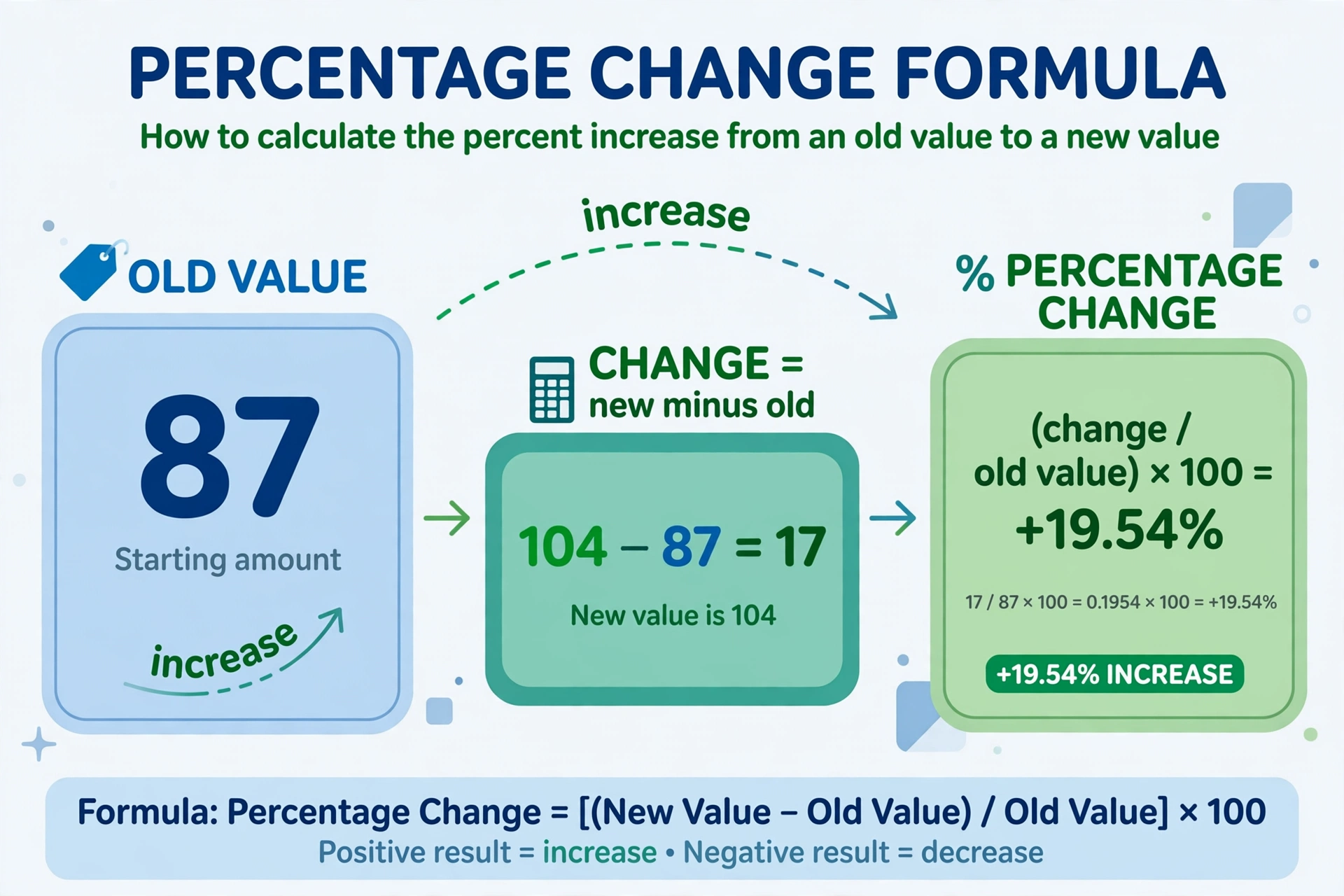
- Full form: % change = ((new − old) ÷ |old|) × 100
The absolute value in the denominator keeps the sign of the answer correct when the old value is negative: a rise from −20 to −10 is a genuine increase, and dividing by |−20| = 20 gives the correct +50%. The sign of the result tells you the direction: positive means an increase, negative means a decrease, and zero means no change.
Sources: the percentage-change (relative-change) definition is the standard used in elementary statistics and finance references; see e.g. Investopedia — Percentage Change.
Worked example
A shop price rises from 87 to 104. Step 1: change = 104 − 87 = 17. Step 2: divide by the old value: 17 ÷ 87 ≈ 0.195402. Step 3: multiply by 100 to get +19.54%. The answer is positive, so it is a 19.54% increase.
More worked examples
| Old value | New value | Percentage change | In plain words |
|---|---|---|---|
| 87 | 104 | +19.54% | 19.54% increase |
| 200 | 150 | −25% | 25% decrease |
| 50 | 50 | 0% | no change |
| 80 | 120 | +50% | 50% increase |
| 120 | 80 | −33.33% | 33.33% decrease |
| −20 | −10 | +50% | 50% increase |
Notice that the increase from 80 to 120 (+50%) is not the mirror image of the decrease from 120 to 80 (−33.33%). The old value — the denominator — is different in each direction, so percentage changes are not symmetric. Going back down always needs a smaller percentage than going up did.
How to use the percentage change calculator
Type the old value (where you started) and the new value (where you ended), then press Calculate. Decimals and negative numbers are accepted. The calculator reports the percentage change, whether it is an increase, decrease or no change, the absolute change, and every step of the working. If the old value is zero, it tells you plainly that the percentage change is undefined instead of dividing by zero.
Step by step
- Enter the old value. This is the starting point — the number the change is measured against.
- Enter the new value. This is the ending point. It can be higher, lower, or the same.
- Press Calculate. Read the percentage change, the direction, and the step-by-step working.
- Read the statement. It phrases the answer in plain English, e.g. "104 is a 19.54% increase of 87."
How to phrase the answer
| Result | Say it as | Example |
|---|---|---|
| +25% | a 25% increase | Sales rose by 25% |
| −25% | a 25% decrease | Sales fell by 25% |
| 0% | no change | Sales were unchanged |
| +100% | doubled | Sales doubled |
| −100% | fell to zero | Stock ran out completely |
A negative answer is not an error — it simply means a decrease. Report the absolute number with the word "decrease": −25% becomes "a 25% decrease", the same way a discount calculator reports a 25% discount rather than a "−25% price".
Percentage change vs percentage points
This is the most confused pair in all of percentages. Percentage change is the relative change — the growth divided by the starting value. Percentage points are the absolute difference between two percentages, measured in plain points.
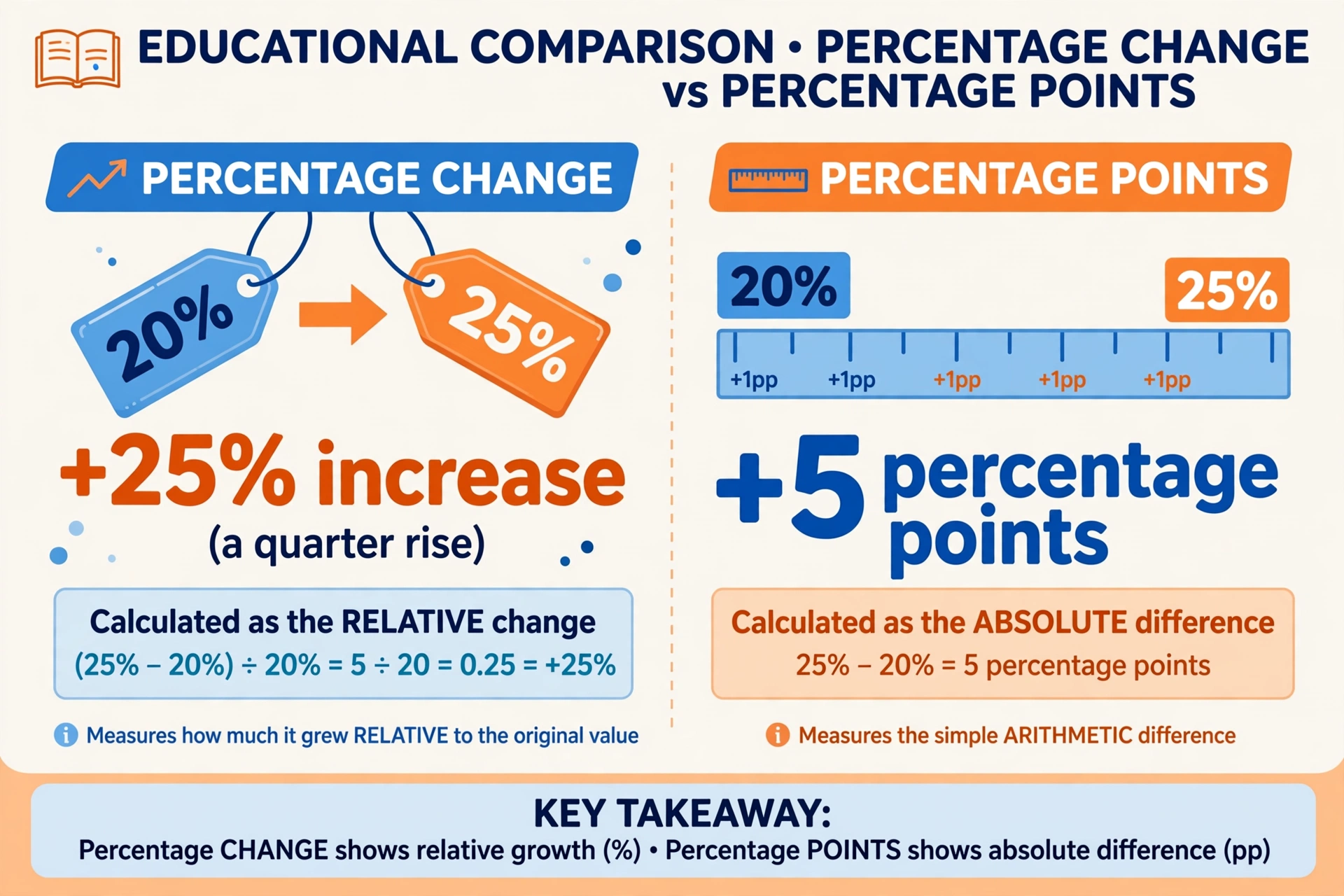
Take a rate moving from 20% to 25%. The percentage-point change is simple subtraction: 25 − 20 = 5 percentage points. The percentage change divides that gap by the starting value: 5 ÷ 20 × 100 = +25%. So the rate rose 5 percentage points, which is a 25% increase — two different facts about the same move.
Same move, two measures
| From | To | Percentage points | Percentage change |
|---|---|---|---|
| 20% | 25% | +5 points | +25% |
| 10% | 15% | +5 points | +50% |
| 50% | 55% | +5 points | +10% |
| 80% | 75% | −5 points | −6.25% |
The table shows why the distinction matters: the same 5-point move is a +50% change from a 10% base but only a +10% change from a 50% base. Headlines that say "unemployment rose 50%" when it moved from 4% to 6% are describing the relative change; the absolute move was 2 percentage points. Both are true, but they answer different questions.
Common mistakes
Percentage change is a short formula, but most errors come from the setup, not the arithmetic.
Dividing by the wrong value
The denominator must be the old value. With 87 rising to 104, the change is 17; dividing 17 by the new value (104) gives 16.35% — wrong. Dividing by the old value (87) gives the correct 19.54%. Always ask: change relative to what?
Swapping old and new
Entering the values backwards turns an increase into a decrease of a different size. 87 → 104 is +19.54%, but 104 → 87 is −16.35%, not −19.54%. Order matters because the denominator changes.
Starting from zero
Percentage change from zero is undefined — 0 → 50 has an absolute change of 50 but no meaningful percentage. A common trap is treating "from zero" as an infinite increase; it is simply not a percentage-change question.
Forgetting the sign
The sign carries the meaning: + is up, − is down. If you only need one part of a bigger percentage problem — for example, what a percent of a number is — a plain percentage calculator handles that piece without the change formula.
Adding percentages directly
A 10% rise followed by a 10% fall does not return you to the start: 100 → 110 (+10%) → 99 (−10%). Each percentage applies to a new base, so percentage changes do not add and subtract like plain numbers.
Where percentage change shows up
Percentage change is the working language of everyday comparison — anywhere a number moves from a known starting point, this formula is what turns the move into a percentage.
Prices and money
A jacket marked down from $80 to $60 is a 25% decrease, i.e. a 25% discount. Investment returns, salary raises and inflation are all reported as percentage changes from a previous value.
Health and fitness
Weight loss from 90 kg to 81 kg is a 10% decrease. A resting heart rate dropping from 70 to 63 beats per minute is likewise a 10% decrease — same percentage, very different context.
Test scores and statistics
A quiz score improving from 70 to 84 is a 20% increase — but only 14 percentage points, which is why the distinction in the previous section matters so much in education reporting.
Frequently asked questions
How do you calculate percentage change?
Subtract the old value from the new value to get the change, divide by the old value, and multiply by 100: % change = ((new − old) ÷ old) × 100. For 87 → 104: (104 − 87) ÷ 87 × 100 = +19.54%.
What is the formula for percent increase?
The percent-increase formula is the same as the percentage-change formula, used when the new value is larger: % increase = ((new − old) ÷ old) × 100. For 87 → 104 the increase is (17 ÷ 87) × 100 = 19.54%.
What is the difference between percentage change and percentage points?
Percentage change is the relative change: (new − old) ÷ old × 100. Percentage points are the simple arithmetic difference between two percentages. A move from 20% to 25% is a 25% increase but only a 5 percentage-point rise.
Can percentage change be negative?
Yes. A negative result means a decrease: 200 → 150 gives (150 − 200) ÷ 200 × 100 = −25%, reported as a 25% decrease. Positive means an increase, zero means no change.
What happens when the old value is zero?
Percentage change is undefined when the old value is zero, because the formula would divide by zero. There is an absolute change (e.g. 0 → 50 changes by 50), but no meaningful percentage change.
Is a 100% increase the same as doubling?
Yes. A 100% increase means the change equals the old value, so 100 → 200 is a 100% increase. A 200% increase triples the value (100 → 300), and a −100% decrease takes it to zero.
How do you calculate percent decrease?
Use the same formula: % change = ((new − old) ÷ old) × 100, and report the absolute value with the word 'decrease'. For 200 → 150: (−50 ÷ 200) × 100 = −25%, a 25% decrease.
Why does the calculator divide by the absolute value of the old number?
Dividing by |old| keeps the sign of the answer meaningful when the old value is negative. Moving from −20 to −10 is a genuine increase: 10 ÷ 20 × 100 = +50%, which only works with the absolute value in the denominator.
Related calculators

Percentage Calculator
Find what P% of any number is — instant answers with the formula shown.
Use calculatorDiscount Calculator
Calculate sale price, discount amount and total savings from any discount percentage.
Use calculatorRatio Calculator
Simplify ratios, scale them up or down, or split an amount by ratio.
Use calculator