Amortization Calculator: Monthly Payment and Loan Schedule
Every fixed loan — a mortgage, a car loan, a personal loan — runs on amortization: identical monthly payments that slowly shift from interest toward principal. Enter your loan amount, interest rate and term to see your monthly payment, your total interest, and a year-by-year amortization schedule showing exactly where each dollar goes.
Formulas verified against standard references. Calculator logic tested with verified worked examples. Last reviewed: October 2026. Our methodology
How amortization is calculated
An amortized loan is repaid in equal monthly payments sized so the balance hits exactly zero on the last payment. Each payment first covers that month's interest, and whatever remains reduces the principal — which is why the interest/principal split changes every month even though the payment never does.
The monthly payment comes from the standard loan amortization formula:
M = P × r(1 + r)n ÷ ((1 + r)n − 1)
| Symbol | Meaning |
|---|---|
| M | Monthly payment (principal + interest) |
| P | Loan principal — the amount borrowed |
| r | Monthly interest rate = annual rate ÷ 12 ÷ 100 |
| n | Total number of monthly payments = years × 12 |
Total interest is simply (M × n) − P: everything you pay minus what you borrowed. The calculator builds the schedule by simulating every payment — interest = balance × r, principal = M − interest — so the yearly table below the results always ties back to the totals.
Worked example
Borrow $250,000 at 6.5% APR for 30 years:
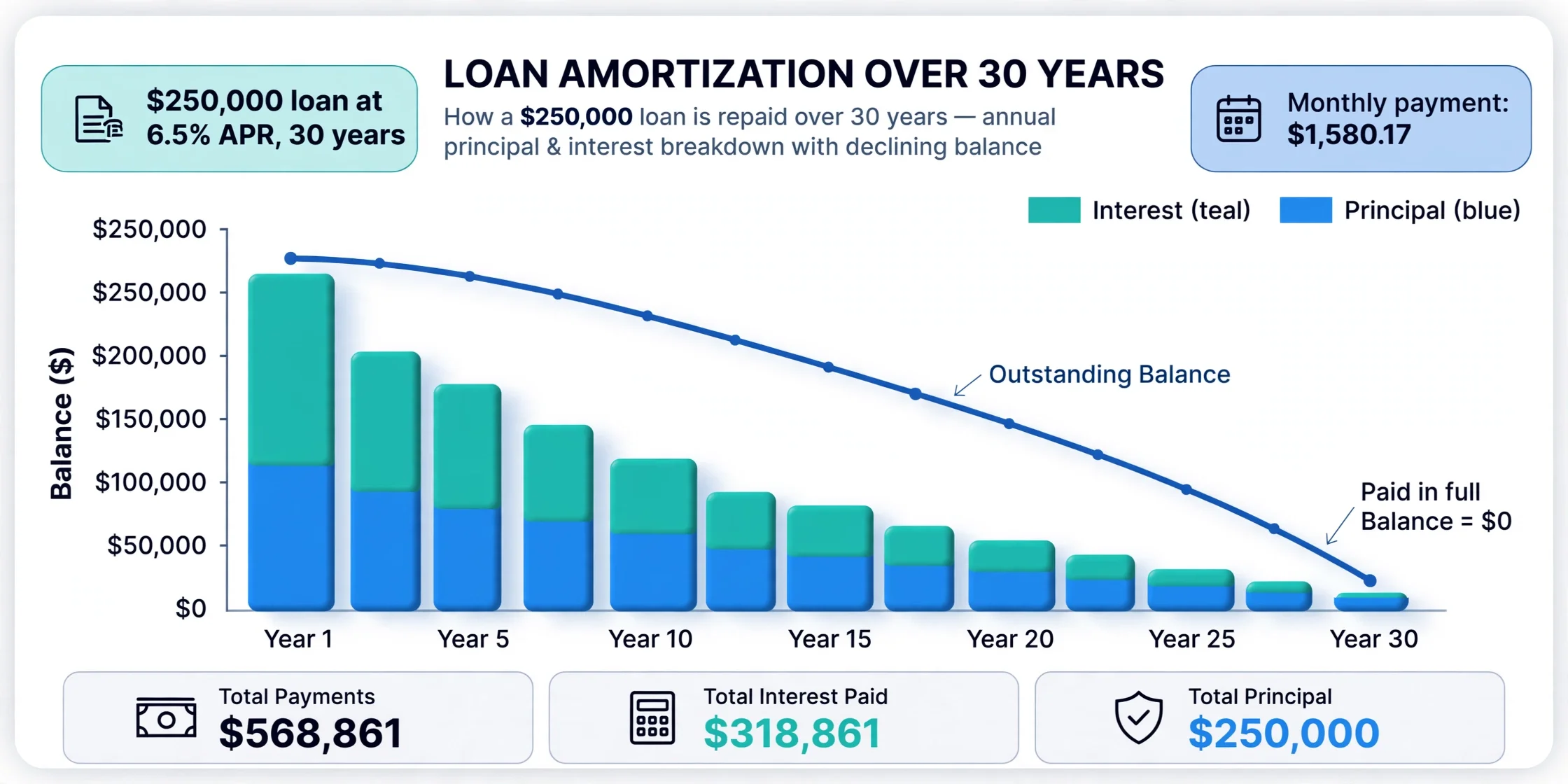
r = 6.5 ÷ 12 ÷ 100 = 0.0054167, n = 360 → M = $1,580.17/month. Over 360 payments you pay $568,861.22 total, so the interest is $318,861.22 — more than the loan itself. In year 1, $16,167.73 of your payments goes to interest and only $2,794.31 to principal, leaving a balance of $247,205.69. By the final year the split has flipped: nearly all of each payment attacks principal.
How to use the amortization calculator
Three numbers are all it takes — grab them from any loan offer or statement.
Step by step
- Enter the loan amount. The principal you borrow, before interest.
- Enter the annual interest rate. Use the APR from the loan offer, not a monthly figure.
- Enter the loan term in years. Common choices: 15 or 30 for mortgages, 3–7 for auto loans.
- Press Calculate. Read your monthly payment, total interest and the year-by-year schedule.
- Compare scenarios. Change the rate or term and re-run — a 1% rate change can move total interest by tens of thousands.
What is amortization?
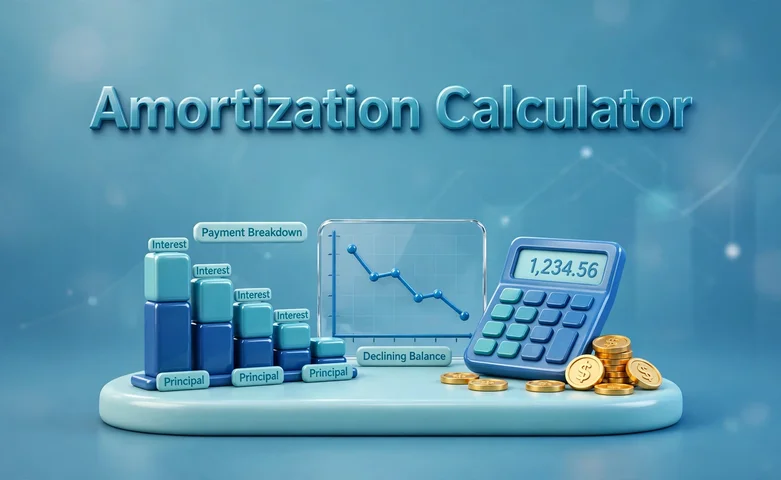
Amortization has two meanings. In lending, it is the systematic repayment of a loan through scheduled payments that cover both interest and principal. In accounting, it means spreading the cost of an intangible asset over its useful life. This calculator — and this page — is about the lending meaning.
Almost every consumer loan amortizes: mortgages, auto loans, personal loans and student loans. The payment stays fixed, but the mix inside it moves. Because interest is charged on the outstanding balance, and the balance is largest at the start, early payments are interest-heavy. As the balance shrinks, more of each payment reaches the principal — the crossover usually happens around the middle of the loan.
For a home loan that also bundles property tax, insurance and PMI into the monthly bill, use our mortgage calculator instead — it builds the escrow on top of the same amortization math.
Reading your amortization schedule
The schedule table under the results rolls every payment into yearly rows. Each row shows:
- Payment — total paid that year (12 × monthly payment, adjusted in the final year).
- Principal — the part of the year's payments that reduced the balance.
- Interest — the part the lender kept.
- Balance — what you still owe at year end.
The most useful insight in the whole table is the interest-to-principal ratio by year. On a 30-year loan at 6.5%, roughly 85% of year-1 payments go to interest. That ratio is why refinancing early in a loan saves far more than refinancing late: there is simply more interest left to eliminate.
How extra payments change the schedule
Any payment above the scheduled amount goes straight to principal (confirm your lender applies it that way and charges no prepayment penalty). Because interest is computed on the balance, shrinking the balance early removes future interest with it — a double win: the loan ends sooner and costs less.
- One extra payment per year (divide your monthly payment by 12 and add it monthly) cuts roughly 4–5 years off a 30-year mortgage.
- Rounding up — paying $1,600 instead of $1,580.17 — quietly shaves months off with almost no budget pain.
- Lump sums (a bonus, a tax refund) hit hardest when the balance is highest, i.e. early in the loan.
If you only need the monthly figure for a loan without the full schedule, the loan EMI calculator gives it from amount, rate and term in one step.
For background reading on payoff options, the Consumer Financial Protection Bureau's Ask CFPB library explains amortization and repayment strategies in plain language.

Frequently asked questions
What is an amortization schedule?
A table showing every loan payment split into interest and principal, plus the remaining balance after each payment. It proves the loan balance reaches exactly zero on the final payment.
How is the monthly loan payment calculated?
With the formula M = P × r(1 + r)n ÷ ((1 + r)n − 1), where P is the loan amount, r is the monthly interest rate, and n is the total number of payments. The payment is sized so the balance is zero after the last one.
Why do early loan payments go mostly to interest?
Interest each month is charged on the outstanding balance, which is largest at the start. On a $250,000 loan at 6.5% for 30 years, about 85% of year-1 payments go to interest; by the final years, nearly all of each payment reduces principal.
What is the difference between amortization and depreciation?
Amortization repays a debt through scheduled payments covering interest and principal. Depreciation spreads a tangible asset's cost over its useful life for accounting. They describe different things and are not interchangeable.
Does this amortization calculator include taxes and insurance?
No. It covers principal and interest only. For a mortgage with property tax, homeowner's insurance and PMI bundled in, use a mortgage calculator that builds escrow on top of the amortization math.
How do extra payments affect my amortization schedule?
Any amount above the scheduled payment goes straight to principal, which lowers the balance that future interest is charged on. That shortens the loan and cuts total interest — one extra payment a year can remove several years from a 30-year mortgage.
What happens if the interest rate is 0%?
With no interest, every payment is pure principal: monthly payment = loan amount ÷ number of payments, and total interest is $0. The calculator handles this case automatically.
Related calculators

Mortgage Calculator
Estimate your monthly mortgage payment with taxes, insurance, PMI and HOA — plus the full amortization schedule.
Use calculator
Loan EMI Calculator
Estimate your monthly loan payment from amount, rate and term.
Use calculator
Car Loan Calculator
Estimate monthly payments for a car loan.
Use calculator